
TL;DR

Get the latest gadgets delivered free with Prime
- Fast, free delivery on millions of items
- Prime Video, Amazon Music and more included
- Member-only deals all year
A gamer successfully installed a Tesla V100 data center GPU into a gaming PC using a custom adapter, achieving 32GB VRAM at a low cost. This highlights potential for cost-effective high-memory setups but involves technical challenges.
A gamer has successfully installed a Tesla V100 SXM2 data center GPU into a consumer gaming PC, doubling their VRAM capacity at a low cost. This development is notable because the V100 is designed for server environments, not consumer PCs, and requires custom hardware modifications. The move highlights potential for cost-effective high-memory computing for AI and gaming applications, but involves technical challenges and risks.
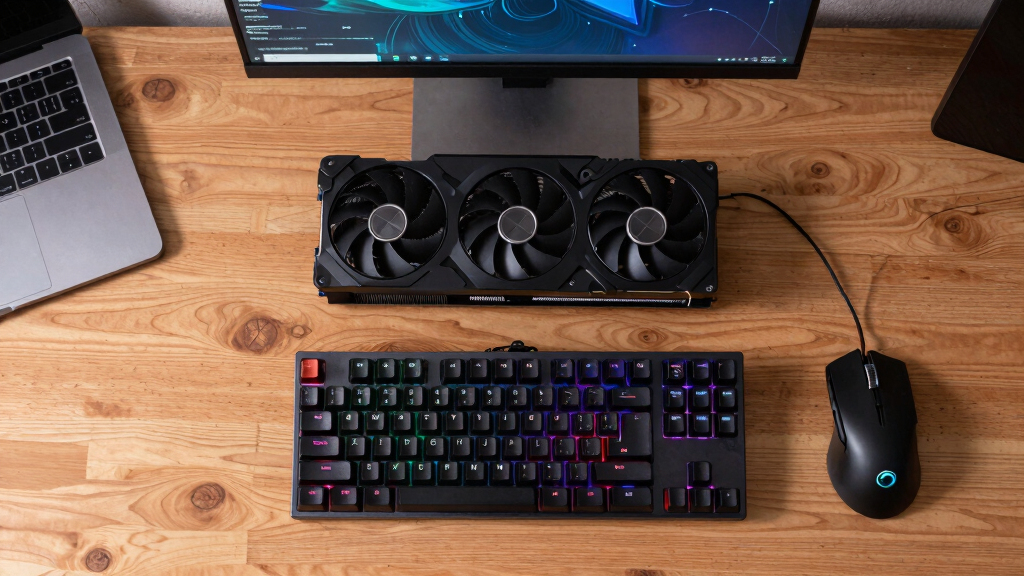
The user purchased a Tesla V100 SXM2 GPU for about £150 on eBay, a model originally intended for NVIDIA’s DGX servers and hyperscaler racks. Since the SXM2 form factor lacks a standard PCIe connector, they used a custom-made adapter, costing around £50, to connect the GPU to their motherboard. The adapter is a bare PCB with an SXM2 socket on one side and a PCIe edge connector on the other, allowing the V100 to interface with consumer motherboards.
The V100 provides 16GB of HBM2 VRAM and features 5120 CUDA cores, with a memory bandwidth of 900 GB/s—surpassing many modern consumer GPUs in bandwidth. The user combined this with their existing RTX 4080, which has 16GB of GDDR6X VRAM, resulting in a total of 32GB VRAM across both GPUs. They utilized llama.cpp to split the model across the two GPUs, achieving 32 tokens per second for inference.
One significant challenge was the GPU’s cooling fan. Designed for server racks, it was loud—measured at 82 decibels—and not controllable via standard software. The user experimented with wiring the fan to a 9V battery and later interfaced it with their motherboard’s fan headers, successfully controlling the fan’s speed and reducing noise to manageable levels. This allowed continuous operation without excessive noise or overheating, with the GPU never exceeding 50°C under full load.
Why It Matters
This development demonstrates a low-cost method for expanding GPU VRAM capacity using data center hardware, which is typically expensive and inaccessible for consumers. For AI practitioners and gamers interested in high-memory inference, this approach offers a practical alternative to costly high-end GPUs like the RTX 5090 or professional-grade hardware. It also highlights the potential of repurposing server-grade hardware for personal use, though with notable technical hurdles and risks.
As an affiliate, we earn on qualifying purchases.
Background
The V100 GPU, launched in 2017, is built on NVIDIA’s Volta architecture and was primarily used in data centers and research environments. Its high memory bandwidth and CUDA core count make it suitable for machine learning and inference tasks. In recent years, high VRAM capacity in consumer GPUs has become a limiting factor for large language models and AI workloads. The user’s experiment follows a trend of enthusiasts seeking affordable ways to access high-memory GPUs, often through secondhand hardware or custom modifications.
“For about £200 total, I had a 16GB VRAM GPU that could slot into my motherboard alongside my RTX 4080. That’s 32GB of total VRAM, at a fraction of the cost of a single high-end GPU.”
— the user
“The fan on this adapter is loud and not controllable, but I managed to tame it with some wiring and motherboard control. Now it runs quietly enough for regular use.”
— the user
“This setup isn’t perfect, but it offers a practical way to expand VRAM for AI inference without breaking the bank.”
— the user
What Remains Unclear
It is still unclear how stable and long-term this setup will be, as the hardware is not officially supported for consumer use. The custom adapter and fan control solutions are experimental, and potential risks include hardware damage or failure. Compatibility issues with different motherboards or operating systems may also arise, and performance may vary depending on workload and cooling effectiveness.
What’s Next
Further testing will determine the durability and stability of this configuration. The user may explore more refined cooling solutions or custom firmware to improve fan control. Additionally, wider community interest could lead to more standardized adapters or support for similar hardware modifications. Monitoring for hardware failures or thermal issues will be essential as this setup is used more extensively.
Key Questions
Can I use a data center GPU in my gaming PC?
Yes, with custom adapters and modifications, as demonstrated by this user. However, it involves technical challenges and risks, including cooling and power issues.
Is this setup suitable for everyday gaming?
This setup is primarily aimed at AI inference and experimental use. Gaming performance may be limited by compatibility and cooling challenges, and it is not recommended for regular gaming without further modifications.
Will this hardware last long-term?
It is uncertain. The hardware was not designed for continuous consumer use, and long-term reliability is not guaranteed. Monitoring for overheating and hardware stress is advised.
How much does this cost compared to a high-end consumer GPU?
The total cost was around £200 for the GPU and adapter, significantly less than a new RTX 5090 or similar high-end card, which can cost over £2,000.
Source: Hacker News
Fall Picks
fall essentials
As an affiliate, we earn on qualifying purchases.