
TL;DR

Get the latest gadgets delivered free with Prime
- Fast, free delivery on millions of items
- Prime Video, Amazon Music and more included
- Member-only deals all year
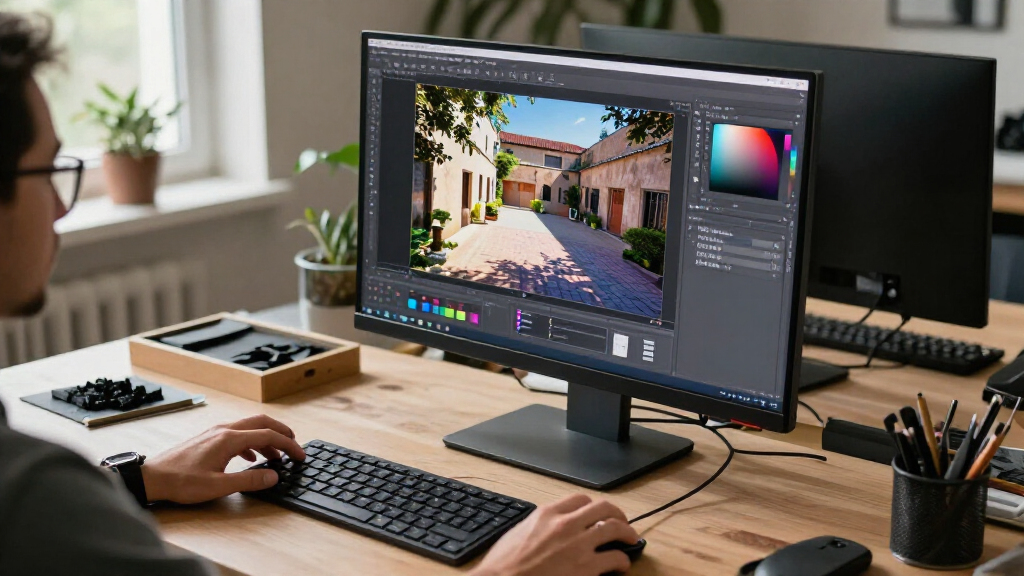
Blender 5.3 adds native support for importing, processing and rendering 3D Gaussian Splats in PLY, SPZ and glTF formats. The release also adds rendering and compositor features, but Blender notes that Gaussian Splat performance is still being optimized and relighting support is rudimentary.
Blender 5.3 has been released with native support for 3D Gaussian Splats, letting users import the scene-reconstruction data as point clouds, process it with Geometry Nodes, and render it in EEVEE, Cycles and Workbench. The update gives artists a built-in workflow for a format used to reconstruct scenes from photographs or video, while also adding changes to rendering, shading and compositing.
Blender’s release notes say Gaussian Splats can be imported from PLY, SPZ and glTF files. Blender stores them as point clouds with a distinct type and splat-specific attributes, including scale, rotation, opacity and radiance data. Users can work with those points in Geometry Nodes and preview the splats in Workbench solid mode, in addition to rendering them in the two main render engines.
The default rendering approach uses an emissive shader. The release notes describe relighting as rudimentary: users can replace the Emission node with a hard-surface shader such as Diffuse BSDF, but the result is not presented as a finished relighting workflow. Blender also warns that rendering can be inaccurate where authoring tools’ sRGB color space differs from Blender’s linear color space, particularly in areas with low opacity and high radiance. Performance remains under optimization.
The release includes other production changes. In Cycles, the Principled BSDF gains dispersion for effects such as rainbows in glass and gemstones, while anisotropy support expands to the Glass BSDF and the Principled BSDF’s transmission component. Blender also lists DLSS 4.5 Ray Reconstruction as a Cycles denoiser; the release notes say it requires NVIDIA driver version 620 or newer. EEVEE gains panoramic camera projections and material-lighting nodes. The compositor adds stackable scene effects, and the release notes describe 17 Geometry Nodes becoming available in the compositor.
A Built-In Gaussian Splat Workflow
Native support means Blender users can bring Gaussian Splat assets into the application without treating them only as external images or relying on a separate conversion step. The ability to access the data as point clouds with dedicated attributes also opens a route to procedural editing in Geometry Nodes, while support across EEVEE, Cycles and Workbench offers options for preview and rendering.
That matters to creators working with captured real-world scenes: the same project can combine reconstructed content with Blender’s existing scene, shading and compositing tools. The limits described in the release notes still matter, though. In particular, users should not assume that splats will behave like conventional surfaces under lighting or that every render will match the appearance of the source application.
Products Worth Considering

DJI Mini 3 Drone with DJI RC and 3-Axis Mechanical Gimbal
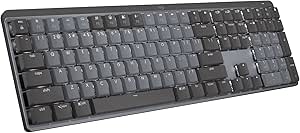
Logitech MX Mechanical Wireless Illuminated Keyboard, Tactile Quiet, Graphite

Bose QuietComfort Wireless Noise-Cancelling Headphones, Sandstone
As an affiliate, we earn on qualifying purchases.
How Splats Fit Into Blender
Gaussian Splats represent a scene with many small, soft, transparent blobs rather than a conventional polygon mesh. Blender’s release notes describe them as a technique commonly used to reconstruct 3D scenes from photographs or video. Their visual result depends on attributes such as each splat’s position, scale, rotation, opacity and radiance.
Version 5.3 makes that representation a native part of Blender’s workflow: the splats are imported and stored as a point-cloud type, then can be processed through Geometry Nodes and rendered in supported engines. The release also broadens tools elsewhere in the application, including Cycles dispersion, EEVEE panoramic rendering and compositor effects. These are separate additions rather than requirements for using Gaussian Splats.
“Performance is still being optimized.”
— Blender 5.3 release notes
Limits Still Affect Splat Results
The supplied release notes do not quantify Gaussian Splat import or render performance, or specify how performance varies by file size, hardware or format. Blender says optimization is ongoing, so the practical speed of the workflow remains unclear from the release information.
Relighting is described as rudimentary, and Blender warns of possible color inaccuracies tied to color-space differences. The release material does not provide a broader compatibility comparison among PLY, SPZ and glTF, nor does it state when further improvements may arrive. Users may need to test their own assets and render settings to determine how closely Blender’s output matches the source.
Testing the New Workflow
Users can try the supported import formats and test point-cloud processing, previews and renders in Blender 5.3. Those using NVIDIA DLSS 4.5 Ray Reconstruction should check the stated driver requirement of version 620 or newer. For Gaussian Splat projects, Blender’s notes make performance and color matching the main areas to watch as the feature develops.
The release information supplied here does not give a schedule for follow-up fixes or specify a next version for additional splat features. Blender’s ongoing optimization work is the stated next development, but no delivery date or further roadmap detail is confirmed.
Key Questions
What Gaussian Splat formats can Blender 5.3 import?
Blender’s release notes list PLY, SPZ and glTF as supported import formats.
Can Gaussian Splats be edited in Blender?
Blender stores them as a distinct kind of point cloud and supports processing them with Geometry Nodes. The release notes do not describe them as conventional editable polygon meshes.
Which Blender renderers support Gaussian Splats?
The release notes list EEVEE, Cycles and Workbench solid mode for rendering or previewing Gaussian Splats.
Can Gaussian Splats be relit in Blender 5.3?
Blender describes relighting support as rudimentary. A user can replace the default Emission node with a hard-surface shader such as Diffuse BSDF, but the release notes warn that results may be affected by color-space differences.
What other major changes are in Blender 5.3?
The release adds Cycles dispersion and expanded anisotropy support, a DLSS 4.5 Ray Reconstruction denoiser, EEVEE panoramic projections and material-lighting nodes, plus stackable compositor effects and Geometry Nodes support in the compositor.
Source: blender.org