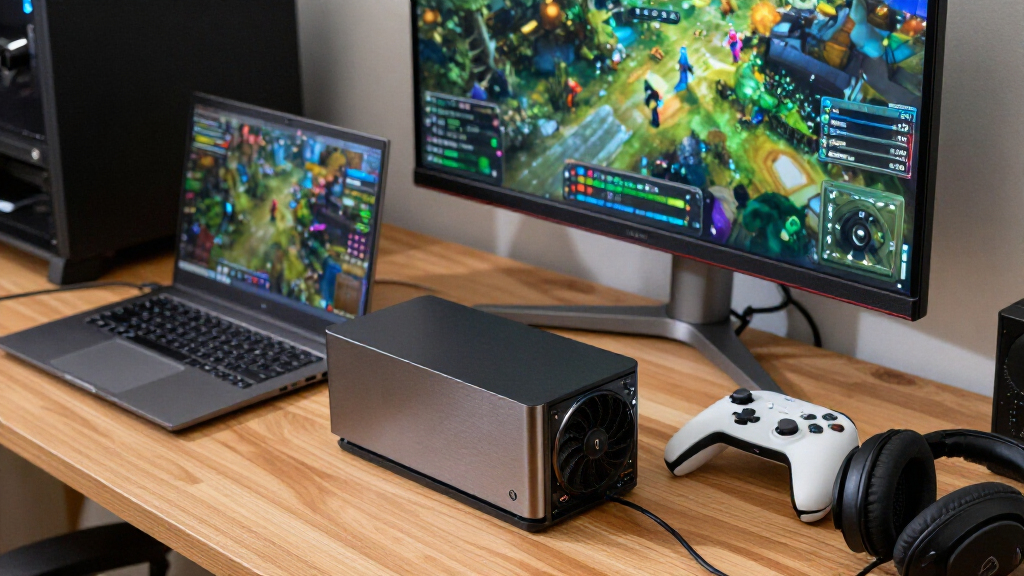

🔍 Read the full analysis: 10 Best External GPUs For High-Performance Gaming And Creative Work In 2027 on ThorstenMeyerAI.com

Get the latest gadgets delivered free with Prime
- Fast, free delivery on millions of items
- Prime Video, Amazon Music and more included
- Member-only deals all year
TL;DR
A 2027 buyer’s guide ranks 10 external GPU options, led by the Razer Core X V2 for broad Thunderbolt 4 compatibility and the MINISFORUM DEG1 for OCuLink users seeking higher bandwidth. The ranking and performance figures come from ThorstenMeyerAI.com; independent testing methods and complete pricing details are not provided in the supplied material.
As detailed in the original external GPU guide, ThorstenMeyerAI.com has published a 2027 guide to 10 external GPU options for gaming and creative work, ranking products according to connectivity, performance potential, compatibility and cost. It names the Razer Core X V2 its best overall pick for most users, while recommending OCuLink-based options such as the MINISFORUM DEG1 for compatible systems that prioritize bandwidth, as in this external GPU roundup.
The guide distinguishes between GPU enclosures and docks, which generally require buyers to supply a graphics card and sometimes a power supply, and integrated eGPU systems, which include a graphics processor but provide less flexibility for upgrades. It identifies the ASUS ROG XG Mobile as the list’s integrated high-performance option and the NIMO RX 7600M XT as a more accessible plug-and-play system for mid-range use.
Its 10 picks are the Razer Core X V2, ASUS ROG XG Mobile, MINISFORUM DEG1, NIMO RX 7600M XT, OwlTree OCuLink dock, RGEEK OCuLink dock, and four further product listings the supplied source material does not name. The source describes the OwlTree and RGEEK options as DIY docks, which require a separate GPU and power setup. It does not provide enough detail to verify the identities or specifications of the other four picks.
The guide says Thunderbolt 4 supports up to 40Gbps, with an effective data rate it puts at 32Gbps, while OCuLink offers a direct PCIe 4.0 x4 connection and up to 63Gbps. It argues that Thunderbolt can constrain high-end graphics cards in some workloads, but the supplied material does not include underlying benchmark results or test configurations for its performance estimates.
The 10 picks
- 1
 GIGABYTE AORUS RTX 5090 AI Box External GPUView on Amazon →
- 2
 ASUS ROG XG Mobile (2025) External Graphics Card with NVIDIA GeForce RTX 5090View on Amazon →
- 3
 NIMO External Graphics Card Enclosure with AMD Radeon RX 7600M XTView on Amazon →
- 4
 NIMO External GPU Docking Station with AMD Radeon RX 7600M XT 8GB GDDR6View on Amazon →
- 5
 Razer Core X V2 External Graphics Enclosure (eGPU)View on Amazon →
- 6
 MINISFORUM DEG1 OCuLink eGPU DockView on Amazon →
- 7
 RGEEK PCIe 5.0 OCuLink eGPU Dock for External Graphics CardsView on Amazon →
- 8
 OCuLink PCIe 4.0 x4 eGPU Dock with 19.7-Inch CableView on Amazon →
- 9
 OwlTree PCIe 4.0 x4 eGPU Dock with OCuLink CableView on Amazon →
- 10
 OwlTree PCIe 3.0 x16 eGPU Dock with Thunderbolt 4 CableView on Amazon →
Choosing Between Bandwidth and Convenience
The guide’s main takeaway is that an eGPU’s value depends on the connection between the computer and graphics card, not just the GPU model. Thunderbolt 4 offers broader compatibility, making it a practical route for many laptops, while OCuLink can provide more bandwidth for users whose machines have the required port. Buyers without OCuLink support cannot assume they can use its higher-throughput docks.
That distinction can affect both gaming and creative workloads, but performance will vary by computer, software, resolution and graphics card. The source estimates that Thunderbolt enclosures may bottleneck some high-end GPUs, and says the effect can be 15–20% in CPU-bound scenarios. Because it does not provide test data, that figure should be treated as a claim from the guide, not a result independently established here.
Cost comparisons also need to account for the complete setup. A bare dock is not a complete graphics system: a separate GPU, power supply or laptop charger may add substantial expense. Integrated products simplify setup but can limit future upgrades. Readers comparing prices should check what each listing includes before treating one option as cheaper than another.
Products Worth Considering

Sony WH-1000XM6 Wireless Noise-Canceling Headphones, Black

Bose Lifestyle Ultra Wireless Home Speaker, White Smoke

Bose QuietComfort Headphones (2nd Gen), Wireless Noise-Cancelling Over-Ear Headphones, Black
As an affiliate, we earn on qualifying purchases.
How the Guide Ranks EGPU Designs
ThorstenMeyerAI.com says its ranking weighs bandwidth efficiency, compatibility and total cost of ownership. Its stated approach favors ease of use for a general audience, which helps explain why the Razer Core X V2 leads despite the guide’s preference for OCuLink’s higher bandwidth among enthusiasts with compatible hardware.
The source also stresses practical setup differences. Thunderbolt systems may support laptop charging through Power Delivery, depending on the laptop, port and cable. OCuLink setups generally need separate power and do not charge the host computer through that connection. The guide does not give a complete specification table, prices, release dates or test methodology for all 10 products.
“The Razer Core X V2 stands out as the best overall choice for most users.”
— ThorstenMeyerAI.com guide
Testing and Product Details Still Missing
The supplied source material does not identify four of the 10 listed products, and it provides no publication date, complete product prices, retailer links or detailed specifications for each pick. It also does not state which devices were tested, what games or creative applications were used, or how the cited performance estimates were calculated. The ranking should be read as the guide’s assessment, not as a verified head-to-head test.
Compatibility must be checked model by model. The source says OCuLink remains uncommon and that Thunderbolt charging depends on the host system, but it does not list compatible laptops or mini PCs for every dock. Its bandwidth units also require care: it gives the OCuLink figure as 63Gbps in one section and 63GB/s in another. Those are different units, and the supplied material does not resolve the discrepancy.
Verify Fit Before Buying
Readers considering an eGPU should confirm the exact computer port, operating-system support, charging needs and included components before choosing a product. They should also check current prices and availability, since the source supplies no dated pricing or inventory information. For a reliable comparison, look for model-specific benchmarks using the intended GPU and workload; no further testing or update schedule is stated in the guide.
Key Questions
Which external GPU does the guide recommend for most users?
ThorstenMeyerAI.com names the Razer Core X V2 its best overall choice, citing Thunderbolt 4 compatibility. It is an enclosure, so buyers need to confirm whether a graphics card and power supply are included or must be purchased separately.
Is OCuLink faster than Thunderbolt 4?
The guide says OCuLink provides a direct PCIe 4.0 x4 connection and lists higher bandwidth than Thunderbolt 4. Actual performance depends on the host computer and workload, and the supplied material does not provide test results to confirm a specific frame-rate advantage.
Does every laptop support an external GPU?
No. A computer needs a compatible connection and suitable software support. The guide says Thunderbolt is broadly compatible, while OCuLink is limited to systems with a dedicated OCuLink port; buyers should check their exact device model.
Which picks include a graphics card?
The source describes the ASUS ROG XG Mobile and NIMO RX 7600M XT as integrated options. It says the Razer enclosure and DIY docks require separate components, but does not give complete included-component details for every product on its 10-item list.
Source: ThorstenMeyerAI.com