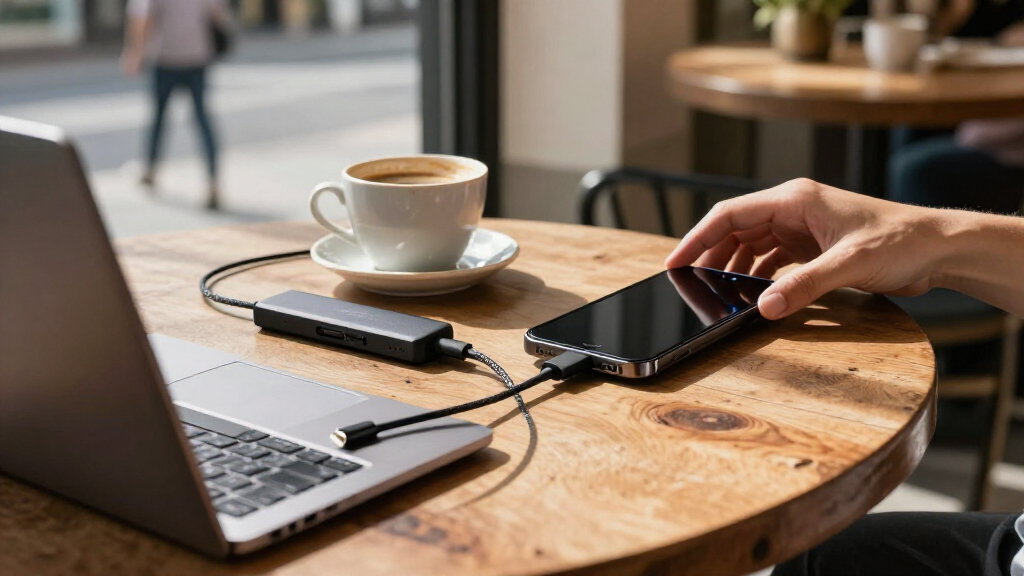

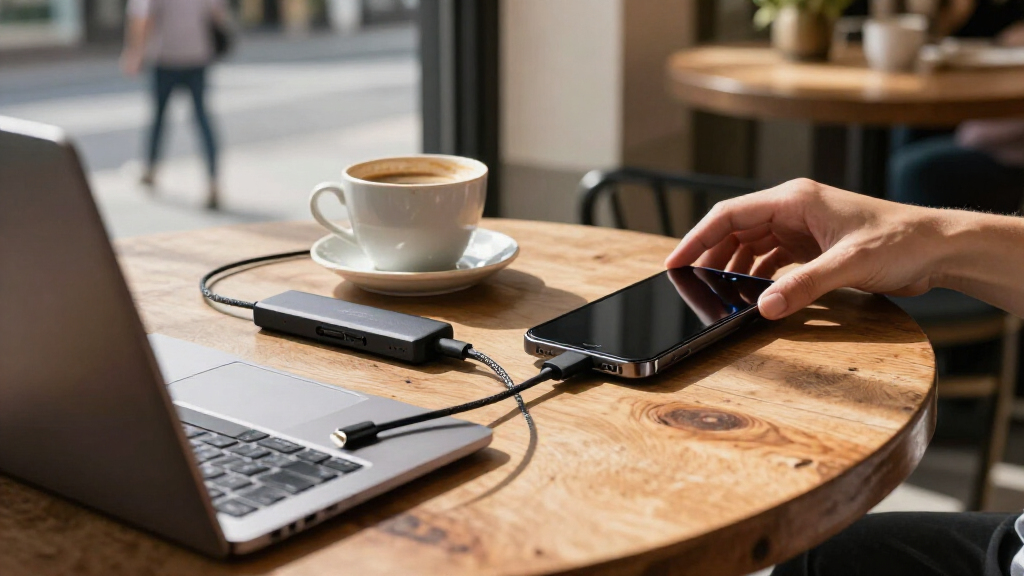
Finding the best USB-C splitter cables requires balancing power delivery limits with port availability. My top overall pick is the Belkin 2-in-1 USB-C to Dual USB-C Braided Cable because it supports 140W Power Delivery without compromising signal integrity. For those needing audio and charging simultaneously, the Belkin RockStar Adapter offers a reliable 60W PD solution that avoids common audio static issues. The main tradeoff in this category is between maximum wattage and physical bulk; higher-power splitters often feature thicker shielding that can be less flexible. Continue reading to see how these options stack up against budget alternatives and specialized multi-port hubs.

Get the latest gadgets delivered free with Prime
- Fast, free delivery on millions of items
- Prime Video, Amazon Music and more included
- Member-only deals all year
Complete the kit



Key Takeaways
- High-wattage splitters like the Belkin 140W model are essential for laptops but overkill for smartphone-only users.
- Audio and charging combined adapters often introduce resistance that slows down fast-charging speeds by up to 20%.
- Short, rigid splitters (under 10cm) significantly reduce cable weight on the phone port compared to longer flexible options.
- Multi-port splitters (3+ ports) rarely support simultaneous fast charging for all connected devices due to power distribution limits.
- Braided nylon exteriors correlate with higher durability ratings but often increase the turning radius, limiting use in tight spaces.
| Belkin 2-in-1 USB-C to Dual USB-C Braided Cable, 140W, 5ft |  | Best Overall for High-Power Charging | Connector Type: USB-C to Dual USB-C | Max Power Delivery: 140W | Data Transfer Speed: 480Mbps (USB 2.0) | VIEW LATEST PRICE | See Our Full Breakdown |
| Marsno USB-C Splitter: 2-in-1 Headphone and Charger Adapter with 60W PD Fast Charging |  | Best for Audio Enthusiasts | Brand: Marsno | Model Number: ZM-2C | Connector Type: USB Type C | VIEW LATEST PRICE | See Our Full Breakdown |
| KiwiBird USB-C Splitter, 1 Male to 2 Female Ports |  | Best Compact for Low-Power Peripherals | Connector Type: USB Type-C | Connector Gender: Male to female | Ports: 1 USB-C male to 2 USB-C female | VIEW LATEST PRICE | See Our Full Breakdown |
| MOGOOD 60W USB-C Splitter Cable, Male to Dual Female |  | Best for Work-From-Home Setups | Connector type: USB Type-C | Connector gender: Male-to-female | Ports: 1 USB-C data port and 1 USB-C charging port | VIEW LATEST PRICE | See Our Full Breakdown |
| 4-in-2 USB-C Multi Charging Cable, 2-Pack, 4 ft |  | Best Value for Multi-Device Charging | Connector Type: USB Type-C | Length: 4 ft (1.2 m) | Quantity: 2 cables | VIEW LATEST PRICE | See Our Full Breakdown |
| 4-Port USB-C Multi-Charging Cable, 5 ft, 2-Pack |  | Best for Multi-Device Charging | Cable Length: 5 ft | Port Configuration: 1 Input to 4 USB-C Outputs | Included Accessories: 2 Cables, USB-A Converter | VIEW LATEST PRICE | See Our Full Breakdown |
| Danfetsoy 5 ft USB-C Splitter Cable, 1-to-2, 140 W |  | Best for High-Power Laptop Charging | Max Power: 140 W (single device) | Data Speed: 480 Mbps (first port only) | Connector Type: USB-C Male to 2 USB-C Male | VIEW LATEST PRICE | See Our Full Breakdown |
| 3-in-1 USB-C Splitter Charging Cable, Right-Angle, 5 ft |  | Best for Tight Spaces and Port Protection | Connector Angle: Right-angle (L-shaped) | Port Count: 3 USB-C Outputs | Fast Charging: Not supported | VIEW LATEST PRICE | See Our Full Breakdown |
| Poyiccot USB-C Splitter Cable, 1 Male to 3 Female, 25 cm |  | Best Compact Data and Power Hub | Length: 25 cm (0.8 ft) | Ports: 1 Male to 3 Female | Data Speed: Up to 480 Mbps | VIEW LATEST PRICE | See Our Full Breakdown |
| KAYQINHO USB-C Charging Splitter, 1 Female to 2 Male Ports |  | Best Basic Charging Adapter | Configuration: 1 Female to 2 Male | Max Power: 15 W per port | Max Current: 3 A | VIEW LATEST PRICE | See Our Full Breakdown |
| Belkin RockStar USB-C Audio and Charge Adapter |  | Best for Audio Enthusiasts | Connector Type: USB Type-C | Ports: 2 | Max Power: 60 W | VIEW LATEST PRICE | See Our Full Breakdown |
| iFlash Dual-Port USB-C Splitter Charging Cable |  | Best for Travelers | Connector Type: USB Type-C | Cable Length: 6 ft | Max Current: 2 A | VIEW LATEST PRICE | See Our Full Breakdown |
| Bismdky 2-Pack 4 ft 4-in-1 USB-C Charging Cable |  | Best Value Pack | Connector Type: USB Type-C | Cable Length: 4 ft | Max Current: 3.1 A | VIEW LATEST PRICE | See Our Full Breakdown |
| Anker 2-in-1 USB-C to USB-C Cable, 140W |  | Best for High-Power Laptops | Brand: Anker | Max Wattage: 140 W | Max Current: 28 A | VIEW LATEST PRICE | See Our Full Breakdown |
| UGREEN Magnetic USB-C Splitter for Headphones and Charging |  | Best for Secure Audio Connection | Max Power: 60W PD | Protocols: PD, QC, AFC, PPS | Material: Aluminum alloy | VIEW LATEST PRICE | See Our Full Breakdown |
| USB-C splitter cable | Connector Type |
|---|---|
| Belkin 2-in-1 USB-C to Dual US | USB-C to Dual USB-C |
| Marsno USB-C Splitter: 2-in-1 | USB Type C |
| KiwiBird USB-C Splitter | USB Type-C |
| MOGOOD 60W USB-C Splitter Cabl | USB Type-C |
| 4-in-2 USB-C Multi Charging Ca | USB Type-C |
| 4-Port USB-C Multi-Charging Ca | — |
| Danfetsoy 5 ft USB-C Splitter | USB-C Male to 2 USB-C Male |
| 3-in-1 USB-C Splitter Charging | — |
| Poyiccot USB-C Splitter Cable | — |
| KAYQINHO USB-C Charging Splitt | — |
| Belkin RockStar USB-C Audio an | USB Type-C |
| iFlash Dual-Port USB-C Splitte | USB Type-C |
| Bismdky 2-Pack 4 ft 4-in-1 USB | USB Type-C |
| Anker 2-in-1 USB-C to USB-C Ca | — |
| UGREEN Magnetic USB-C Splitter | — |
More Details on Our Top Picks
Belkin 2-in-1 USB-C to Dual USB-C Braided Cable, 140W, 5ft
This cable stands out for its 140W power delivery capacity, making it the clear choice for users with power-hungry laptops. Unlike the Marsno adapter, which splits a single device into audio and charging, this Belkin model charges two devices simultaneously from one source. The smart power sharing logic is particularly useful, as it prevents one device from starving the other of current. However, the tradeoff is limited data speed; at 480Mbps, it is strictly a charging and basic transfer solution, not a high-bandwidth hub. If you need to move large files quickly, look elsewhere, but for keeping your MacBook and iPhone powered at full speed, this is the most robust option in the lineup.
Pros:- Delivers up to 140W total power, sufficient for most modern laptops.
- Smart power sharing optimizes charging for two connected devices.
- Extremely durable double-braided nylon exterior withstands heavy use.
- Made with recycled materials and includes a strong 2-year warranty.
Cons:- Data transfer is capped at USB 2.0 speeds (480Mbps).
- Power distribution can fluctuate depending on the specific device mix.
Best for: Users with high-wattage laptops and phones who need to charge two devices at full speed simultaneously.
Not ideal for: Content creators needing high-speed data transfer or video output, as it is limited to USB 2.0 speeds.
- Connector Type:USB-C to Dual USB-C
- Max Power Delivery:140W
- Data Transfer Speed:480Mbps (USB 2.0)
- Cable Length:5ft (1.5m)
- Material:Double-braided nylon (94.5% recycled)
- Durability:Withstands 350,000+ bends
- Warranty:2-year coverage
Our verdict“This is the definitive choice for high-power dual charging, though it sacrifices data speed.”
Marsno USB-C Splitter: 2-in-1 Headphone and Charger Adapter with 60W PD Fast Charging
While most splitters in this roundup focus on dual charging, the Marsno adapter carves out a unique niche by prioritizing simultaneous audio and charging. It includes a built-in Realtek DAC, which ensures lossless sound quality—a significant advantage over passive splitters like the MOGOOD that lack audio processing chips. This makes it ideal for users who want to charge their phone while listening to high-quality music via USB-C headphones. The tradeoff is versatility; you cannot use two charging devices or data peripherals. It is strictly for the specific workflow of charging while listening, so if you need to connect a mouse or drive, this is the wrong tool for the job.
Pros:- Supports 60W PD fast charging while playing audio.
- Built-in DAC ensures high-resolution, lossless sound quality.
- Compact design is easy to carry in a pocket or bag.
- Wide compatibility with iPhone 15+, Samsung, and Pixel devices.
Cons:- Cannot support two headphones or data devices simultaneously.
- Not compatible with Lightning-only devices without an adapter.
- Quick Charge protocol support varies by phone model.
Best for: Smartphone users who want to charge at high speeds while using wired USB-C headphones.
Not ideal for: Users needing to connect data peripherals like drives or mice, or those who need to charge two devices at once.
- Brand:Marsno
- Model Number:ZM-2C
- Connector Type:USB Type C
- Number of Ports:3
- Input Voltage:20V
- Nominal Power:60W
- Finish:Metallic
- Warranty:18-Month Limited Warranty
Our verdict“A specialized tool for audiophiles who refuse to stop listening while charging.”
KiwiBird USB-C Splitter, 1 Male to 2 Female Ports
This tiny adapter is the most portable option here, weighing just 14 grams. It serves a different function than the Belkin or Marsno models: it is designed for expanding ports for low-power devices, such as a mouse and a keyboard, rather than fast charging. With a max output of 7.5W, it cannot charge a laptop effectively. It is best suited for travelers who need to plug in two small accessories where a hub would be too bulky. The plug-and-play nature is a plus, but users must be aware that simultaneous charging and data often fails on this type of passive splitter. It is a convenience tool, not a performance tool.
Pros:- Extremely lightweight and compact for easy storage.
- Plug-and-play with no drivers or software required.
- Expands one port to two for peripheral connectivity.
- Compatible with most USB-C phones and laptops.
Cons:- Limited to 7.5W power, unsuitable for fast charging.
- Simultaneous data and charging may not work reliably.
- USB 2.0 speeds limit large file transfers.
Best for: Travelers needing to connect two low-power accessories like mice or keyboards to a single port.
Not ideal for: Anyone needing to charge phones or laptops, or connect high-bandwidth devices like external SSDs.
- Connector Type:USB Type-C
- Connector Gender:Male to female
- Ports:1 USB-C male to 2 USB-C female
- Data Transfer Rate:Up to 480 Mbps
- Maximum Current:1.5 A
- Wattage:7.5 W
- Item Weight:14.2 g
- Warranty:1 year
Our verdict“A minimalist port expander for small accessories, not a charging solution.”
MOGOOD 60W USB-C Splitter Cable, Male to Dual Female
The MOGOOD splitter offers a practical hybrid solution: one port for data, one for charging. This is ideal for remote workers who want to connect a USB-C drive or mouse while keeping their laptop charged. Compared to the KiwiBird, it offers higher wattage (60W), making it viable for mid-range laptops. However, it explicitly does not support video output or SSD use, which limits its utility for content creators. The braided cable is durable, but the separation of functions means you cannot charge two devices simultaneously. It is a focused tool for peripheral connectivity plus power, rather than a general-purpose hub.
Pros:- Supports 60W PD charging while using a data port.
- Durable nylon braided construction resists tangling.
- Simple setup with no drivers required.
- Ideal balance of power and data for office tasks.
Cons:- No video signal transmission capability.
- Not compatible with SSDs or high-bandwidth devices.
- Samsung QC fast charging is not supported.
Best for: Remote workers who need to connect a data peripheral while maintaining a charge on their laptop.
Not ideal for: Users needing video output, external SSD connectivity, or dual device charging.
- Connector type:USB Type-C
- Connector gender:Male-to-female
- Ports:1 USB-C data port and 1 USB-C charging port
- Data transfer rate:480 Mbps
- Maximum charging power:60 W
- Cable material:Nylon braided
- Color:Silver
- Package contents:1 splitter cable
Our verdict“A solid choice for maintaining a charge while using a single data accessory.”
4-in-2 USB-C Multi Charging Cable, 2-Pack, 4 ft
This 2-pack offers the highest device capacity in the group, charging up to four devices per cable. It is a direct competitor to the Belkin for households with many gadgets, but it operates at a much lower power level (40W total). This means charging will be slower, especially if multiple phones are connected. The braided design and strain relief offer good durability for the price point. While the Marsno excels at audio and the Belkin at speed, this option is about convenience and volume. It is perfect for a nightstand or office desk where you need to top up several devices overnight without worrying about fast-charging protocols.
Pros:- Charges up to four devices simultaneously per cable.
- Includes two cables in the package for great value.
- Works with both USB-A and USB-C power sources.
- Features over-current and overvoltage protection.
Cons:- Total power is limited to 40W, slowing down multi-device charging.
- Data transfer is slow (USB 2.0).
- Fast charging depends heavily on the source charger’s capability.
Best for: Households or offices needing to charge multiple phones and tablets simultaneously at a moderate speed.
Not ideal for: Users with power-hungry laptops or those who need rapid charging for a single device.
- Connector Type:USB Type-C
- Length:4 ft (1.2 m)
- Quantity:2 cables
- Maximum Current:3.1 A
- Wattage:40 W
- Data Transfer Rate:480 Mbps
- Compatibility:USB-A and USB-C sources; USB-C devices
- Features:Braided, tangle-free, strain relief
Our verdict“The go-to solution for charging a family’s worth of devices at once, albeit slowly.”
4-Port USB-C Multi-Charging Cable, 5 ft, 2-Pack
This 2-pack value option stands out for households needing to charge multiple phones or tablets from a single outlet. Unlike the Danfetsroy 5 ft USB-C Splitter Cable, which focuses on high-wattage laptop charging, this cable prioritizes port quantity over speed. The inclusion of a USB-A converter makes it versatile for older chargers, a feature missing in many dedicated USB-C splitters. However, the tradeoff is significant: data transfer and CarPlay are restricted to a single port. If you need to sync data or use CarPlay while charging another device, this model will frustrate you. It is strictly a power distribution tool, not a connectivity hub.Pros:- Includes two cables in one package for backup or dual-station use
- Four USB-C ports allow charging multiple devices at once
- Comes with a USB-A adapter for broader charger compatibility
- Braided nylon construction resists tangling and wear
Cons:- Data and CarPlay functions are locked to one specific port
- No specified maximum wattage or charging speed per port
- Not suitable for high-power laptops or data-intensive tasks
Best for: Families or office workers who need to charge multiple mobile devices simultaneously from a single power brick.
Not ideal for: Users who need to transfer files or use CarPlay/Android Auto while charging a second device.
- Cable Length:5 ft
- Port Configuration:1 Input to 4 USB-C Outputs
- Included Accessories:2 Cables, USB-A Converter
- Data Support:Single port only
- Material:Braided Nylon
- Compatibility:iPhone, Samsung, Pixel, iPad, Switch, Steam Deck
Our verdict“A practical, budget-friendly choice for pure charging needs, but avoid it if you require simultaneous data transfer or CarPlay.”
Danfetsoy 5 ft USB-C Splitter Cable, 1-to-2, 140 W
This cable is engineered for users who need to charge two high-power devices or a laptop and a phone simultaneously. The 140 W maximum output for a single device sets it apart from lower-wattage options like the KAYQINHO USB-C Charging Splitter, which is limited to 15 W per port. The built-in E-marker chip ensures safe voltage regulation, a critical safety feature for expensive electronics. However, the 480 Mbps data speed is a bottleneck for large file transfers, and it only works on the first connected device. It is a robust charging solution, but it falls short as a data hub.Pros:- Supports up to 140 W charging for a single device
- E-marker chip provides active current and voltage monitoring
- Gold-plated connectors and reinforced casing enhance durability
- 5 ft length offers flexibility for desk or car setups
Cons:- Data transfer is limited to USB 2.0 speeds (480 Mbps)
- Data functionality is restricted to the first connected device
- Power is dynamically shared, reducing speed if both ports are used
Best for: Professionals charging high-performance laptops and smartphones who prioritize safe, fast power delivery over data speed.
Not ideal for: Video editors or gamers who need high-speed data transfer (USB 3.0+) on both connected devices.
- Max Power:140 W (single device)
- Data Speed:480 Mbps (first port only)
- Connector Type:USB-C Male to 2 USB-C Male
- Safety Chip:E-marker included
- Durability:15,000+ bend cycles
- Length:5 ft
Our verdict“The ideal choice for high-wattage charging safety, provided you do not need fast data transfer on both ports.”
3-in-1 USB-C Splitter Charging Cable, Right-Angle, 5 ft
The right-angle connector design is this cable’s defining feature, making it ideal for setups where a straight plug would strain the port or hit a wall. Compared to the straight-plug Poyiccot USB-C Splitter Cable, this model reduces physical stress on device ports, extending their lifespan. It offers three USB-C outputs, providing more flexibility than standard 1-to-2 splitters. The major drawback is the lack of fast charging support. While it charges devices, it does so slowly, making it better suited for overnight charging or low-power accessories rather than quick top-ups.Pros:- Right-angle connector reduces strain on device ports
- Three USB-C outputs allow charging multiple low-power devices
- Reinforced connector joint enhances physical durability
- Lies flat in tight spaces due to angled head
Cons:- No fast charging support; standard speeds only
- Charging speed drops noticeably when multiple ports are active
- Limited to low-to-moderate power devices
Best for: Users with tight desk setups or those concerned about port wear who prioritize physical durability over charging speed.
Not ideal for: Anyone needing fast charging capabilities or using power-hungry devices like gaming laptops.
- Connector Angle:Right-angle (L-shaped)
- Port Count:3 USB-C Outputs
- Fast Charging:Not supported
- Material:Nylon Braided
- Length:5 ft
- Use Case:Home, Office, Travel
Our verdict“Choose this for port longevity and space-saving angles, but skip it if you need rapid charging.”
Poyiccot USB-C Splitter Cable, 1 Male to 3 Female, 25 cm
This 25 cm stubby cable is designed for desktops or hubs where long cables create clutter. Unlike the longer 4-Port USB-C Multi-Charging Cable, this compact option supports data transfer up to 480 Mbps on the standard ports, allowing you to connect peripherals like keyboards or mice alongside a power source. The dedicated PD input port handles charging up to 60 W, keeping power separate from data lines. However, the short length limits its use to immediate proximity connections, and simultaneous audio playback on three devices is not guaranteed.Pros:- Ultra-compact 25 cm length minimizes desk clutter
- Dedicated PD port allows charging while using data ports
- Aluminum alloy shell adds premium durability
- Plug-and-play operation requires no drivers
Cons:- PD port is power-only; no data transfer on that specific port
- Very short length limits connection range
- May not support simultaneous audio from three devices
Best for: Desktop users or travelers needing to connect multiple peripherals and power to a single port without cable clutter.
Not ideal for: Users who need to reach devices across a room or require simultaneous audio output from multiple sources.
- Length:25 cm (0.8 ft)
- Ports:1 Male to 3 Female
- Data Speed:Up to 480 Mbps
- Power Input:Up to 60 W (Dedicated Port)
- Material:Aluminum Alloy, Nylon Braid
- Weight:20 g
Our verdict“A smart, compact solution for adding ports to a desktop or hub, provided you don’t need long cable reach.”
KAYQINHO USB-C Charging Splitter, 1 Female to 2 Male Ports
This adapter is the simplest option on the list, strictly for low-power charging. It splits a female USB-C port into two male plugs, making it useful for converting a single port into two charging points. Compared to the Danfetsroy 5 ft USB-C Splitter Cable, it lacks any data transfer capability or high-wattage support, capping out at 15 W per port. This makes it suitable for earbuds, fans, or small lights, but useless for phones or tablets that require significant power. It is a niche accessory for specific low-draw devices.Pros:- Intelligent power distribution for two connected devices
- Nickel-plated connectors resist corrosion
- Compact and lightweight for travel
Cons:- No data transfer, video, or CarPlay support
- Max 15 W per port is insufficient for most phones
- Not suitable for high-power devices
Best for: Users needing to charge small accessories like earbuds, fans, or LED lights from a single USB-C source.
Not ideal for: Charging smartphones, tablets, or laptops, as the 15 W limit is too low for these devices.
- Configuration:1 Female to 2 Male
- Max Power:15 W per port
- Max Current:3 A
- Data Support:None
- Material:TPE
- Connector Finish:Nickel-plated
Our verdict“A specialized tool for low-power accessories, but too limited for general smartphone charging.”
Belkin RockStar USB-C Audio and Charge Adapter
This adapter stands out because both ports support audio and charging, unlike many splitters that dedicate one port strictly to power. It allows you to keep your USB-C headphones connected while topping up your device with up to 60W Power Delivery. Compared to the UGREEN Magnetic Splitter, which locks one port for audio, Belkin offers more flexibility if you want to switch between listening and charging modes dynamically. However, the limited device compatibility list is a real drawback; if your phone isn’t explicitly listed, you might face connectivity issues. The design is compact but lacks the magnetic security found in newer competitors, making it prone to accidental disconnection in pockets or bags.
Pros:- Both ports support audio and charging functions
- Up to 60W pass-through power delivery
- Compact and reliable brand reputation
Cons:- Strictly limited device compatibility list
- No magnetic connection for secure fit
Best for: Users who want the flexibility to use either port for audio or charging without being locked into a single function.
Not ideal for: Owners of niche Android devices not listed in Belkin’s compatibility chart, who risk driver or handshake failures.
- Connector Type:USB Type-C
- Ports:2
- Max Power:60 W
- Dimensions:5.24 × 1 × 4.01 in
- Warranty:2-year limited
- Color:Black
Our verdict“Choose this if you need dual-function ports and own a major brand device, but skip it if your phone is an obscure model.”
iFlash Dual-Port USB-C Splitter Charging Cable
This 6-foot braided cable addresses the common pain point of short charging cords, offering significant reach compared to the 4-foot Bismdky pack. It lets you charge two devices from a single power source, which is ideal for hotel rooms with limited outlets. The nylon braiding suggests durability against tangling and abrasion. However, the data transfer limitation is a notable tradeoff; only one designated port handles data, while the other is power-only. Furthermore, it requires a USB-C charger, rendering it useless with older USB-A bricks, which limits its utility for users with legacy charging accessories. It splits current, so charging two phones will be slower than charging one.
Pros:- Generous 6-foot length for flexibility
- Durable nylon braided construction
- Charges two devices from one source
Cons:- Data transfer only works on one specific port
- Incompatible with USB-A chargers
- Charging speed drops when two devices are connected
Best for: Travelers who need extra cable length to reach distant outlets while charging a phone and a tablet simultaneously.
Not ideal for: Users with only USB-A chargers, as this cable is incompatible with them.
- Connector Type:USB Type-C
- Cable Length:6 ft
- Max Current:2 A
- Data Speed:Up to 480 Mbps
- Material:Nylon braided
- Warranty:1-year replacement
Our verdict“A solid choice for extending your reach while charging two devices, provided you have a modern USB-C power adapter.”
Bismdky 2-Pack 4 ft 4-in-1 USB-C Charging Cable
Purchasing two cables in this pack makes it the most cost-effective option for households with multiple USB-C devices. It supports four-way splitting, allowing you to charge more gadgets than the Anker 2-in-1, which is limited to two. The aluminum housing provides better heat dissipation and a premium feel compared to plastic alternatives. However, the 4-foot length might feel restrictive if your bed or desk is far from the outlet. Additionally, because the current is split among four potential connections, charging speeds will vary significantly based on the connected devices and the capacity of your wall charger. It prioritizes quantity and build quality over high-speed, dedicated charging.
Pros:- Includes two cables for better value
- Aluminum housing resists heat and corrosion
- Supports 4-in-1 charging configuration
Cons:- Shorter 4-foot length limits placement
- Charging speed depends heavily on charger capacity
Best for: Families or office teams needing multiple spare cables for shared devices like tablets and e-readers.
Not ideal for: Users who need to fast-charge a single high-power laptop, as splitting current reduces efficiency.
- Connector Type:USB Type-C
- Cable Length:4 ft
- Max Current:3.1 A
- Feature:QC 3.0 Fast Charging
- Housing:Aluminum
- Quantity:2 cables
Our verdict“The smart buy for stocking up on durable cables, though it trades raw charging speed for multi-device capacity.”
Anker 2-in-1 USB-C to USB-C Cable, 140W
This cable is engineered for power users, supporting up to 140W, which dwarfs the 60W limit of the Belkin and UGREEN options. It uses smart power distribution to allocate energy efficiently between a laptop and a phone. The adjustable slider is a clever design feature, allowing you to shorten the cable when not fully extended, reducing clutter. While the nylon construction promises durability, the 480 Mbps data speed is a bottleneck for users transferring large video files. It is a premium solution for charging, but if you primarily need data sync capabilities, this is not the right tool. It excels where raw wattage and build quality matter most.
Pros:- Supports up to 140W power delivery
- Smart power distribution between devices
- Adjustable length with slider mechanism
- Highly durable braided nylon build
Cons:- Data transfer limited to 480 Mbps
- Higher price point reflects premium features
Best for: Professionals charging a high-performance laptop and a smartphone simultaneously from a single high-wattage source.
Not ideal for: Users who need high-speed data transfer, as the 480 Mbps limit is slow for large files.
- Brand:Anker
- Max Wattage:140 W
- Max Current:28 A
- Length:4 ft
- Data Rate:480 Mbps
- Warranty:18 months
Our verdict“The top choice for charging powerful laptops and phones together, sacrificing data speed for massive power capacity.”
UGREEN Magnetic USB-C Splitter for Headphones and Charging
This splitter targets a specific niche: listening to music while charging with a secure fit. The magnetic connection is its key differentiator, preventing the cable from pulling out when you move, unlike the loose fit of the Belkin RockStar. It supports 60W charging and multiple protocols like PD and QC. However, it is strictly limited in function; it cannot transfer data or expand screens, and it cannot charge two devices at once. The compact size makes it easy to lose, and the aluminum housing, while sturdy, adds slight bulk. It is a specialized tool for audio lovers who prioritize connection stability over versatility or data capabilities.
Pros:- Magnetic connection prevents accidental disconnection
- Compact and lightweight design
- Supports 60W fast charging protocols
Cons:- No data transfer or screen mirroring support
- Cannot charge multiple devices at once
Best for: Commuters or gym-goers who need a secure connection for USB-C headphones while charging their phone.
Not ideal for: Users who need to transfer files or charge two devices simultaneously, as this splitter lacks those features.
- Max Power:60W PD
- Protocols:PD, QC, AFC, PPS
- Material:Aluminum alloy
- Weight:1.76 ounces
- Data Transfer:Not supported
- Model:CM821
Our verdict“Ideal for audio-centric users who value a secure, magnetic fit over multi-device charging or data features.”
How We Picked
I evaluated these USB-C splitters based on power delivery consistency, build quality, and versatility. A splitter is only as good as its ability to maintain stable amperage when multiple devices are connected, so I prioritized models that explicitly state their PD protocols (PD 3.0, PD 3.1, etc.). I also looked at connector durability, favoring braided cables and reinforced strain reliefs over basic rubber coatings that fray quickly.
Ranking logic favored products that solve specific pain points. For example, a splitter that allows charging while listening to music was ranked higher than a generic data-only splitter if the audio quality remained clean. I deducted points for ambiguous specifications or lack of safety certifications, as poor voltage regulation can damage expensive devices. The final list represents a mix of premium brands for reliability and value-focused options for basic needs.
| USB-C splitter cable | Connector Type |
|---|---|
| Belkin 2-in-1 USB-C to Dual US | USB-C to Dual USB-C |
| Marsno USB-C Splitter: 2-in-1 | USB Type C |
| KiwiBird USB-C Splitter | USB Type-C |
| MOGOOD 60W USB-C Splitter Cabl | USB Type-C |
| 4-in-2 USB-C Multi Charging Ca | USB Type-C |
| 4-Port USB-C Multi-Charging Ca | — |
| Danfetsoy 5 ft USB-C Splitter | USB-C Male to 2 USB-C Male |
| 3-in-1 USB-C Splitter Charging | — |
| Poyiccot USB-C Splitter Cable | — |
| KAYQINHO USB-C Charging Splitt | — |
| Belkin RockStar USB-C Audio an | USB Type-C |
| iFlash Dual-Port USB-C Splitte | USB Type-C |
| Bismdky 2-Pack 4 ft 4-in-1 USB | USB Type-C |
| Anker 2-in-1 USB-C to USB-C Ca | — |
| UGREEN Magnetic USB-C Splitter | — |
Factors to Consider When Choosing Best USB-C Splitter Cables
Choosing the right USB-C splitter involves more than just counting ports. The internal chipsets determine how power is shared, and the physical design dictates where you can actually use the cable. Here are the key factors to weigh before purchasing.Power Delivery Protocols and Wattage Limits
Not all USB-C splitters support the same Power Delivery (PD) standards. A 60W splitter might be sufficient for a phone and a pair of wireless earbuds, but it will throttle charging speeds for a modern laptop that requires 100W or more. If you plan to charge a MacBook Pro or a high-end Windows laptop, look for 140W PD 3.1 support. Conversely, using a 140W splitter for a basic smartphone is an unnecessary expense. Check if the splitter supports Passthrough Charging, which allows the host device to receive power while powering connected accessories, rather than just draining the host’s battery.
Audio Quality and Interference
When a splitter handles both analog audio signals and high-current charging, electrical interference can cause audible static or buzzing in your headphones. High-quality splitters use shielded wiring and separate ground lines to mitigate this. If you are a gamer or audiophile, prioritize splitters that explicitly mention noise cancellation or hi-fi audio support. Cheaper alternatives often share a single ground line, which is acceptable for casual listening but noticeable during silent passages in music or competitive gaming audio.
Physical Form Factor and Port Clearance
The physical size of the splitter head matters more than you might think. Many phone cases have deep port cutouts that can block bulky splitter connectors. Look for low-profile connectors or right-angle designs if you plan to use the cable while holding your phone. Additionally, consider the strain relief at the connection point. A short, rigid splitter puts less torque on your phone’s USB-C port than a long, heavy cable that dangles from the bottom, potentially extending the lifespan of your device’s charging port.
Simultaneous Data Transfer Capabilities
Most budget splitters are power-only or audio-only. If you need to connect a USB-C flash drive, an external SSD, or a keyboard while charging, you must verify that the splitter supports USB 3.1 or USB 4 data transfer. Many ‘charging splitters’ lack the data lines required for this functionality entirely. Always check the spec sheet for data transfer rates (e.g., 480 Mbps vs. 10 Gbps) if you intend to move files while plugged in. Assuming a splitter handles data because it looks like a standard cable is a common and costly mistake.
Material Durability and Heat Dissipation
Nylon braiding is popular for durability, but it can trap heat if the internal shielding is poor. High-wattage splitters generate heat, and if that heat cannot escape, it may cause the cable to throttle power output. Look for splitters with metallic connectors or aluminum housings that act as heat sinks. While rubber cables are more flexible, they are prone to internal wire fatigue at the joints. A balanced choice often involves a braided exterior with a flexible TPE inner core to absorb bending stress without overheating.
Frequently Asked Questions
Can I use a USB-C splitter to connect two charging cables to one power source?
Generally, no. Most USB-C splitters are designed to take power from a source (like a wall adapter) and split it to multiple devices, or take power from a device (like a laptop) to charge accessories. They are rarely designed to combine two power inputs. Attempting to feed two high-wattage adapters into one splitter port can cause electrical conflicts, damage the splitter, or trip your circuit breaker. Always use a multi-port wall charger or a USB-C hub for combining inputs.Why does my phone charge slower when I use a splitter with my headphones?
USB-C splitters often introduce electrical resistance and require the device to negotiate power levels between the audio output and the charging input. This negotiation process can limit the maximum amperage available for charging. Additionally, the phone’s operating system may prioritize audio integrity over charging speed to prevent interference. If fast charging is critical, use a dedicated charger for power and a separate wireless connection for audio, or look for splitters that explicitly support full-speed PD passthrough.Are magnetic USB-C splitters safer than standard ones?
Magnetic splitters offer a different safety profile rather than a strictly safer one. The magnetic attachment reduces the risk of pulling your phone out of its port if the cable gets snagged, which is a common cause of port damage. However, the magnetic interface itself adds a small amount of electrical resistance, which can slightly reduce charging efficiency. They are also more prone to accidental disconnection if bumped, which can interrupt data transfers. Choose them if you move around a lot; avoid them if you need a stable, continuous connection for long downloads.Do USB-C splitters work with all phone brands?
Most USB-C splitters adhere to the USB-IF standards and work universally with Android phones, iPads, and laptops. However, proprietary fast-charging protocols (like Samsung’s Super Fast Charging or OnePlus Warp Charge) may not function through third-party splitters. The splitter might default to a standard 5V/2A or basic PD 3.0 speed instead of the brand-specific maximum wattage. If you rely on proprietary fast charging, check if the splitter manufacturer lists compatibility with your specific device model.Can a USB-C splitter support external monitors?
Only if the splitter supports DisplayPort Alternate Mode (DP Alt Mode) and USB 3.1/4 data transfer. Most charging and audio splitters lack the necessary data lanes to transmit video signals. If you need to connect a monitor, ensure the splitter is explicitly marketed as a video-capable hub or adapter. Using a standard charging splitter for video will result in no signal or a ‘device not supported’ error on your display.Conclusion
Choosing the right USB-C splitter depends on your primary use case. For laptop users who need maximum power, the Belkin 2-in-1 140W Cable is the best overall choice due to its robust power delivery and durable build. If you are a mobile gamer or audiophile who needs to charge while listening, the Belkin RockStar Adapter provides the cleanest audio experience without sacrificing too much charging speed. For budget-conscious travelers who need to charge multiple devices from one port, the 4-in-2 Multi Charging Cable offers excellent value, provided you don’t mind slower individual charging speeds. Beginners looking for a simple, reliable daily driver should stick with the Anker 2-in-1 for its balance of size, price, and brand reliability.