TL;DR

Get the latest gadgets delivered free with Prime
- Fast, free delivery on millions of items
- Prime Video, Amazon Music and more included
- Member-only deals all year
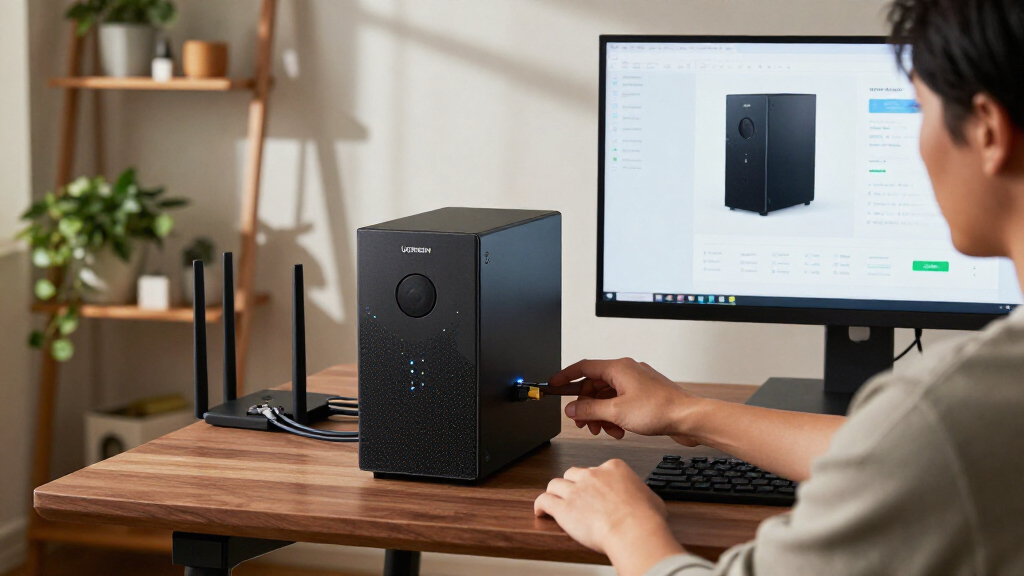
The UGREEN DXP4800 Pro is a four-bay NAS with an Intel Core i3-1315U, 8GB of expandable DDR5 memory and 10GbE plus 2.5GbE networking. Its hardware suits home-lab users, creators and small teams, but drives are not stated as included, and the faster network speeds require compatible equipment.
The UGREEN DXP4800 Pro is a four-bay network-attached storage system built around an Intel Core i3-1315U, expandable memory and high-speed networking, positioning it for home labs, creators and small teams that want to run services alongside file storage. The product assessment says it may be more machine than basic backup users need, and buyers should account for the cost of drives because the listing does not state that storage is included.
The processor has six cores and eight threads, with a stated maximum frequency of 4.5GHz. The system includes 8GB of DDR5 memory and is listed as expandable to 96GB. The assessment says this headroom can support Docker services and virtual machines alongside file serving, though buyers intending to run several virtual machines may need more memory than the included amount.
For networking, UGREEN lists 10GbE and 2.5GbE ports and a maximum transfer speed of 1.25GB/s. That figure depends on the rest of the setup: the client computer, cabling, switch, drives and workload must also support fast transfers. On a typical gigabit network, the faster port will not deliver its listed potential.
The enclosure has four 3.5-inch drive bays and two PCIe 4.0 M.2 slots. The stated capacity ceiling of 144TB depends on the drives installed; it is not storage supplied with the unit. The assessment lists RAID 0, 1, 5 and 10 configurations, plus UGOS Pro media, photo and cloud-sync features. It says the software can use on-device AI to organize photos. RAID can support continued access after some drive failures, but it does not replace a separate backup.
UGREEN DXP4800 Pro For AI: What To Know Before You Buy
A four-bay NAS with room for self-hosted services, creator workflows and growing team libraries. Its potential depends on the drives, memory needs and network gear you bring to the setup.
More than a network folder
The specification sheet points to a compact server as well as shared storage. How much of that capability matters depends on the jobs you expect it to handle.
Core i3-1315U
Six cores, eight threads and a stated maximum frequency of 4.5GHz. The assessment positions it for file serving and additional services.
8GB DDR5, expandable
Listed as expandable to 96GB. The included amount may be limiting for buyers planning several virtual machines or many services.
Room to grow
Four 3.5-inch bays and two PCIe 4.0 M.2 slots. The 144TB ceiling depends on installed drives; it is not storage included with the unit.
Match the machine to the workload
The DXP4800 Pro’s value rises when its processing, bays and faster networking solve a real need.
Use the extra capacity
- Home-lab users running Docker services or virtual machines
- Creators moving large files across compatible fast networks
- Small teams building shared libraries across several drives
- Buyers interested in UGOS Pro media, photo and cloud-sync tools
Keep backup straightforward
For basic backups and shared folders, extra bays and server features may add cost and setup work without a clear benefit. Two-bay options such as Synology DS223 or DS223j may suit simpler needs.
10GbE is a path, not a promise
UGREEN lists 10GbE and 2.5GbE ports, with a maximum transfer speed of 1.25GB/s. Reaching that figure requires compatible client hardware, cabling, a switch, drives and workload.
The fast port cannot deliver its listed potential when the rest of the network is the bottleneck.
Build the complete system
Check the parts and trade-offs around the NAS before comparing the headline capacity or speed.
Price the drives
The source does not say drives are included. Add their cost to the unit price.
Choose your RAID
RAID 0, 1, 5 and 10 are listed. Capacity and fault handling vary by setup.
Check the network
Confirm that your computer, switch and cabling support the speed you want.
Plan the workload
Review memory needs and software compatibility for VMs and services.
Read the claims in context
The provided assessment describes specifications and intended use. It does not establish tested performance or a current configured price.
No current total cost
No current unit price, drive bundle or dated listing is provided. A complete system budget cannot be confirmed from this material.
No independent benchmarks
The 1.25GB/s figure is a stated maximum, not an independently verified result here. Actual performance depends on setup and workload.
AI and services untested here
The material gives no test results for photo AI, Docker workloads, virtual machines or media services.
RAID is not backup
RAID can help maintain access after some drive failures. Keep a separate backup of important files.
“Worth buying for buyers who will use its speed and flexibility; a simpler two-bay unit is a better fit for straightforward backups and shared folders.”
PRODUCT ASSESSMENTFour checks, answered
Use these answers to focus your listing and setup research.
Are drives included?
The provided source does not say. Check the current listing and budget for drives separately.
Will every setup reach 1.25GB/s?
No. That is the stated maximum and depends on a compatible network path, storage and workload.
Who is it best suited to?
Home-lab users, creators and small teams likely to use its bays, faster networking or services.
Does RAID replace a backup?
No. RAID does not replace a separate backup of important files.
Who Can Use Its Extra Hardware
The DXP4800 Pro’s appeal depends on whether buyers will use its processing, storage and network capacity. A creator moving large video files over compatible 10GbE equipment, or a home-lab user running services and virtual machines, could make use of capabilities absent from a basic network folder appliance. Small teams may also value having several drive bays as their shared libraries grow.
For straightforward backups and shared folders, those features can add cost and setup work without a clear benefit. Buyers need to budget for drives and may also need compatible network hardware to benefit from the faster ports. The assessment contrasts the four-bay UGREEN with two-bay models such as the Synology DS223 and DS223j, which may be more appropriate for compact, simpler storage needs.
Products Worth Considering

LG UltraGear 27-Inch QHD OLED Gaming Monitor, 240Hz, 0.03ms, G-SYNC Compatible, FreeSync Premium Pro, HDMI 2.1

Samsung 27-Inch Odyssey QD-OLED G8 4K 240Hz Gaming Monitor

LG 34GX90SA-W 34-inch Ultragear WQHD OLED Curved Gaming Monitor
As an affiliate, we earn on qualifying purchases.
A NAS That Needs Planning
A network-attached storage device connects to a local network so multiple computers and devices can access files. Unlike a preloaded external drive, this model’s listed capacity depends on the storage a buyer installs. Its four bays allow room to add drives and configure a storage array as needs change, while the two M.2 slots provide additional SSD capacity options.
The product assessment describes tool-free drive trays as a way to simplify installation and replacement. Buyers still need to choose drives and decide how to configure them. RAID choices can affect available capacity and how the system handles some drive failures, so the advertised 144TB maximum is a configuration figure, not a guarantee of usable space in every setup. The source provides no independent benchmark results or measured transfer tests.
“worth buying for buyers who will use its speed and flexibility; a simpler two-bay unit is a better fit for straightforward backups and shared folders”
— Product assessment
Costs and Performance Depend on Setup
The source material does not give a current purchase price, a drive bundle, or a dated listing, so the total cost of a configured system cannot be established from it. It also does not identify specific compatible drives or quantify how much usable capacity remains under each RAID arrangement.
The stated maximum transfer speed is a product specification, not an independently verified result in the material provided. Actual performance will depend on network equipment, drives and workload. The assessment also does not provide test results for the photo AI features, Docker workloads, virtual machines or media services, so their performance in particular use cases remains unconfirmed.
Check the Full System Cost
Before buying, compare the current unit price with the cost of the drives needed for the intended capacity, and check which RAID arrangement meets the buyer’s storage and redundancy needs. Buyers planning faster transfers should confirm that their computers, switch and cabling support 10GbE or 2.5GbE.
Those interested in running virtual machines or several services should also check memory requirements and software compatibility. The source material does not state a forthcoming product update or testing milestone; buyers will need current listing details and setup requirements to make a complete purchasing comparison.
Key Questions
Are drives included with the UGREEN DXP4800 Pro?
The source material does not say that drives are included. Buyers should check the current listing and budget for drives separately.
Does it deliver 1.25GB/s transfer speeds in every setup?
No. That is the stated maximum. Reaching it depends on a compatible network path, including the client computer, switch, cabling, storage and workload.
Who is the DXP4800 Pro best suited to?
The assessment identifies home-lab users, creators and small teams as likely fits, especially if they will use its four bays, faster networking or ability to run services. Basic backup users may not need the extra hardware.
Does RAID replace a separate backup?
No. The assessment says RAID can help maintain access after some drive failures, but it does not replace a separate backup of important files.
Source: Thorsten Meyer AI