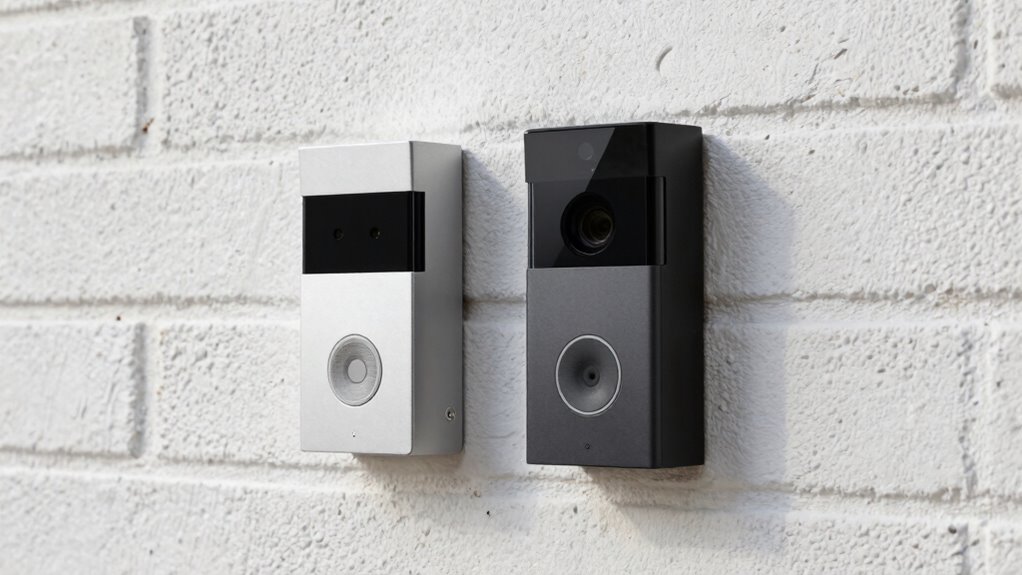
Before you drill into your home for a video doorbell, consider your wiring and Wi-Fi stability. Wired models require compatible wiring and a good power source, which may mean upgrades or new installation. Battery-powered options are easier to install but need regular charging or battery changes. Think about your home’s layout, Wi-Fi strength, and maintenance needs. Want to make the best choice? Keep going to learn more about pros, cons, and installation tips.
Key Takeaways
- Assess existing wiring and power capacity to determine if a wired doorbell is feasible.
- Consider Wi-Fi signal strength at the door to ensure reliable smart features.
- Evaluate installation complexity: wired models may require drilling and wiring upgrades.
- For renters or inaccessible wiring, battery-powered options offer easier, wire-free installation.
- Balance the need for continuous power and video quality against maintenance and Wi-Fi stability.
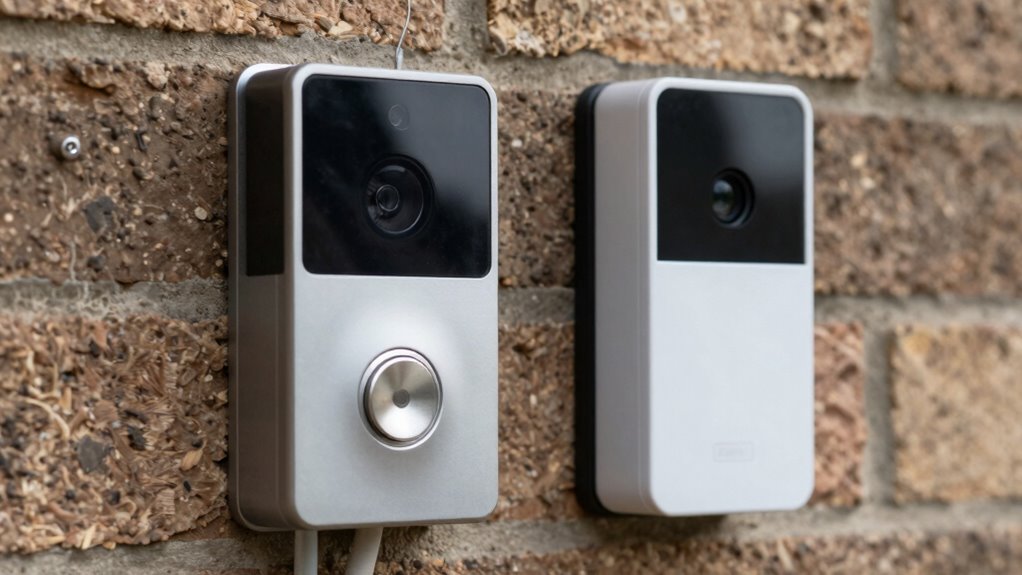
Video doorbells have become an essential part of modern home security, allowing you to see and communicate with visitors right from your smartphone. But before you pick between a wired or battery-powered model, it’s important to understand some key considerations. One common challenge you might face is installation issues, especially related to Wi-Fi connectivity. If your Wi-Fi signal is weak or unstable at the door, a smart video doorbell might not perform as well as possible. For wired models, you’ll need to verify your existing doorbell wiring is compatible and can handle the device’s power requirements. If not, you might have to upgrade your wiring or install a new power supply, which can complicate installation. Battery-powered doorbells, on the other hand, don’t require wiring but still rely heavily on Wi-Fi stability for live streaming and notifications. If your Wi-Fi isn’t strong at the entry point, the doorbell’s performance could suffer, leading to laggy video feeds or missed alerts.
When considering installation, pay attention to your home’s Wi-Fi coverage. Installing a Wi-Fi extender or a mesh network can help improve signal strength at the door, ensuring your device stays connected. For wired models, you need to decide whether you’re comfortable with drilling into your doorframe or wall, and whether your existing wiring can support the device. Some wired doorbells require a transformer capable of delivering a specific voltage, so checking your current setup beforehand can save you headaches later. Battery-powered models eliminate this worry, but they come with their own considerations. You’ll need to regularly recharge or replace the batteries, which can be inconvenient if the device isn’t easily accessible. Additionally, understanding industry trends can help you choose a model that will remain compatible with future updates and features.
Another factor to weigh is your home’s layout. Wired doorbells require a physical connection, so if your house’s wiring isn’t easily accessible or if you’re renting, a battery-powered option might be more practical. Conversely, wired doorbells often provide more consistent power and potentially better video quality since they aren’t limited by battery life. Whichever type you choose, verify that your Wi-Fi network is strong enough to handle the data load. Slow or unreliable Wi-Fi can cause buffering, delayed notifications, or even disconnections, which defeats the purpose of having a smart security device. To sum up, consider not just the physical installation but also your Wi-Fi environment and comfort level with wiring before drilling or making any permanent changes. Proper planning will help you avoid common pitfalls and ensure your video doorbell performs reliably, giving you peace of mind and enhanced security.

Orbitell 1080p Wireless Wi-Fi Video Doorbell Camera with Two Way Audio, Night Vision, Cloud Storage, Smart AI Motion Detection, Support 2.4GHz Wi-Fi only
AI-Powered Smart Detection: Advanced AI technology accurately identifies people while filtering out vehicles and animals, so you only…
As an affiliate, we earn on qualifying purchases.
As an affiliate, we earn on qualifying purchases.
Frequently Asked Questions
Are Wireless Doorbells as Reliable as Wired Options?
Wireless doorbells can be just as reliable as wired options, but it depends on your power supply and installation complexity. You’ll find that wireless models are easier to install since they don’t require drilling or complex wiring. However, verify your Wi-Fi signal is strong to avoid connectivity issues. If you prefer a low-maintenance setup, a wireless doorbell works well, but for consistent power and reliability, wired options might be better.
How Often Do Battery-Powered Doorbells Need Charging?
Ever wonder how often you’ll need to charge your battery-powered doorbell? Typically, the battery lifespan and charging frequency depend on usage and the model, but most require charging every 1 to 3 months. Heavy use or poor signal strength can shorten this interval. To keep it running smoothly, check the battery status regularly and charge it when needed. Wouldn’t you prefer a hassle-free, always-ready doorbell?
Can Wired Doorbells Be Upgraded to Wireless Later?
Yes, wired doorbells can often be upgraded to wireless compatibility later, but it depends on your specific model and existing wiring. Many newer models offer upgrade options or adapters that enable wireless features. Before making any changes, check if your doorbell supports wireless compatibility or consult the manufacturer’s guidelines. This way, you can enjoy the convenience of a wireless system without replacing the entire setup.
What Are the Security Risks of Wireless Video Doorbells?
They say “what you don’t know can’t hurt you,” but with wireless video doorbells, security risks are real. You’re vulnerable to privacy concerns since hackers could access your footage or audio. Signal interference might also disrupt your doorbell’s connection, making it less reliable. To stay safe, choose strong passwords, keep firmware updated, and position your Wi-Fi router properly, reducing your risk of intrusions and connection issues.
Is Professional Installation Necessary for Wired Models?
You don’t always need professional setup for wired models; DIY installation is often possible if you’re comfortable with basic wiring. However, if you’re unsure about electrical work or prefer a hassle-free process, professional installation is a smart choice. It guarantees the doorbell is correctly wired, safe, and functioning properly. Consider your experience and comfort level with DIY projects before deciding whether to handle it yourself or hire a professional.

Tapo 2K+ Wired or Battery Powered Smart Video Doorbell with Chime – 180° Field of View, Person/Vehicle/Package Detection, Ring Call, 2-Way Audio, Subscription-Free Local Storage or Optional Cloud,D225
【Complete Flexibility – Wired and Wireless】The Tapo D225 offers users complete flexibility to mount the doorbell as they…
As an affiliate, we earn on qualifying purchases.
As an affiliate, we earn on qualifying purchases.
Conclusion
Just like Icarus soared toward the sun, your choice between wired and battery video doorbells shapes your home’s safety. Think of wired models as the steady heartbeat, always connected, while batteries bring freedom and flexibility, like a bird in flight. Weigh your needs carefully—whether you prefer the grounded strength or the airy independence. In this decision, remember: your home’s security is your wings, guiding you to make the right call without soaring too close to the sun.
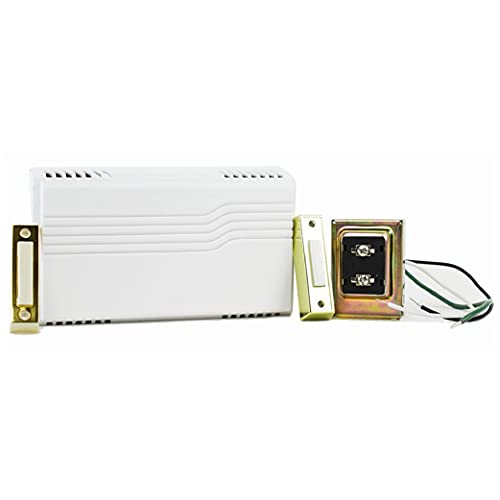
Newhouse Hardware Electric 2-Tone Door Bell Chime Kit with 16V 10VA Transformer and Lighted Doorbell Push Buttons CKIT1, Doorbell Button, Transformer, and Doorbell Chime Replacement
ALL-IN-ONE WIRED DOORBELL KIT: This complete doorbell kit includes a wired doorbell chime, lighted door bell buttons wired…
As an affiliate, we earn on qualifying purchases.
As an affiliate, we earn on qualifying purchases.

TP-Link Deco X55 AX3000 WiFi 6 Mesh System – Covers up to 6500 Sq.Ft, Replaces Wireless Router and Extender, 3 Gigabit Ports per Unit, Supports Ethernet Backhaul, Deco X55(3-Pack)
Wi-Fi 6 Mesh Wi-Fi – Next-gen Wi-Fi 6 AX3000 whole home mesh system to eliminate weak Wi-Fi for…
As an affiliate, we earn on qualifying purchases.
As an affiliate, we earn on qualifying purchases.