If you prioritize seamless visuals and immersive experiences, an ultrawide monitor is a great choice, especially for multitasking or gaming. However, if you value ergonomic flexibility, adjustable setups, and reduced eye strain, dual screens might serve you better. Be aware that ultrawide screens can cause edge distortion and may need careful positioning. To discover which option suits your workflow best, explore the details further—you’ll find helpful insights ahead.

Get the latest gadgets delivered free with Prime
- Fast, free delivery on millions of items
- Prime Video, Amazon Music and more included
- Member-only deals all year
Key Takeaways
- Ultrawide monitors provide seamless visuals for immersive multitasking, reducing distractions caused by bezels in dual setups.
- Dual screens offer customizable ergonomic positioning, minimizing neck and eye strain during extended use.
- Ultrawide monitors may cause edge distortions and ergonomic challenges if not properly aligned, impacting comfort.
- Dual monitors allow flexible workspace arrangement and independent adjustments for optimal productivity.
- Choice depends on prioritizing visual continuity versus ergonomic flexibility and personalized workspace setup.
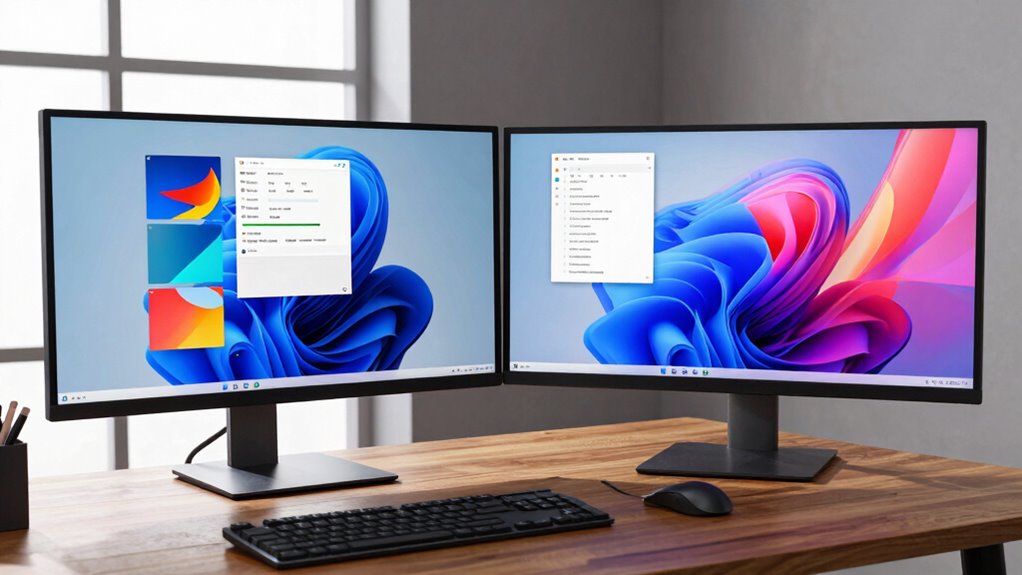
When choosing between ultrawide monitors and dual screens, you’re faced with two popular options that can considerably boost your productivity and gaming experience. Both setups offer unique advantages, but your decision should be guided by ergonomic considerations and how each affects your visual comfort. Ultrawide monitors provide a seamless, single display that reduces the need to switch between screens, but the curvature and size can sometimes lead to visual distortions, especially at the edges. If you work or game for long periods, this might cause eye strain or discomfort, so it’s essential to evaluate how the monitor’s curvature and resolution align with your visual needs.
Dual screens, on the other hand, give you the flexibility to arrange multiple displays to suit your workflow. They often allow for better ergonomic adjustments, as you can position each monitor to optimize eye level and minimize neck movement. This setup can reduce eye fatigue because you’re not forced to stare at a single, wide curved surface for hours. However, dual screens can introduce bezels that interrupt your visual flow, which might be distracting during immersive gaming or detailed tasks. Also, mismatched monitor sizes or resolutions can create visual distortions, especially if they aren’t calibrated properly, leading to inconsistent image quality that hampers productivity.
From an ergonomic perspective, dual screens tend to offer more customization. You can adjust each monitor independently to match your line of sight, helping to maintain good posture and reduce neck strain. Ultrawide monitors, while sleek and modern, can sometimes be rigid in their setup. Their large, curved surface might force you into awkward positions if not positioned correctly, which can undermine ergonomic benefits. On the other hand, ultrawide monitors eliminate the bezels found in dual setups, creating a more immersive experience that’s particularly advantageous for gaming or multitasking. But if you sit too close or if the curvature doesn’t match your workspace, visual distortions and peripheral blurring may occur, affecting your overall comfort and focus. Additionally, understanding the visual distortions associated with curved screens can help you choose the best setup for your needs. Considering the ergonomic adjustments available in dual monitor setups can also be a decisive factor for many users seeking comfort during extended use. Moreover, each setup’s compatibility with workspace ergonomics plays a crucial role in long-term comfort and productivity.
In the end, your choice hinges on your specific needs. If you prioritize seamless visuals and minimal setup fuss, an ultrawide monitor could be the way to go—just be mindful of potential distortions and ergonomic placement. If flexibility, ergonomic adjustments, and multitasking efficiency matter most, dual screens might serve you better, despite the occasional distraction from bezels. Both options can enhance your productivity, but understanding how each setup interacts with your ergonomic needs and visual comfort will help you make the right decision.
Products Worth Considering

LG 27GS60QC-B Ultragear 27-inch Curved Gaming Monitor (QHD, 180Hz, 1ms, 1000R)

Samsung 27-Inch Odyssey G5 QHD Gaming Monitor (G50F)

LG 27GR83Q-B 27-inch Ultragear QHD IPS Gaming Monitor
As an affiliate, we earn on qualifying purchases.
Frequently Asked Questions
Do Ultrawide Monitors Cause More Eye Strain Than Dual Screens?
Ultrawide monitors can cause more eye strain than dual screens if you don’t adjust your setup properly. You might experience increased eye fatigue due to the wider field of view, which can make focusing more challenging. To improve visual comfort, make certain to set proper brightness, contrast, and viewing distance. Taking regular breaks and using anti-glare screens also help reduce eye fatigue, making your workspace more comfortable regardless of your choice.
Which Setup Is More Cost-Effective Long-Term?
Cost-consciousness counts when choosing your setup. Ultrawide monitors often offer better cost efficiency because they combine two screens into one, reducing the need for multiple devices. Plus, their sleek upgrade potential means you can enhance your workspace without replacing everything. Dual screens might seem affordable initially, but over time, the cumulative cost of monitors, cables, and upgrades adds up. So, ultrawides are likely the smarter, more sustainable long-term investment.
How Do Compatibility Issues Affect Ultrawide Monitor Setups?
Compatibility issues can impact your ultrawide monitor setup by causing resolution challenges and hardware limitations. You might find it difficult to match the monitor’s resolution with your graphics card, leading to display problems or reduced performance. Additionally, older hardware may struggle to support the ultrawide’s advanced features, causing lag or connectivity issues. To avoid these problems, make certain your hardware is compatible and capable of handling the monitor’s specifications before upgrading.
Are There Specific Tasks Where Dual Screens Outperform Ultrawide Monitors?
You’ll find dual screens often outperform ultrawide monitors in multitasking efficiency and visual workspace management, especially for tasks like video editing or complex data analysis. Multiple screens let you dedicate specific areas for different applications, reducing clutter and switch time. While ultrawide monitors offer a seamless view, dual screens give you more flexibility to organize tasks independently, making them ideal when multitasking requires frequent application toggling or detailed comparisons.
What Are the Best Ergonomic Practices for Each Setup?
You should sit in an ergonomic chair that supports your back and maintains good posture. Position your ultrawide monitor or dual screens at eye level, adjusting monitor height to prevent neck strain. Keep screens about an arm’s length away, and make sure your keyboard and mouse are at a comfortable height to avoid wrist strain. Regular breaks and stretching also help maintain ergonomic health, regardless of your setup.
Conclusion
So, whether you choose an ultrawide or dual screens, remember it’s all about productivity… or just bragging rights at your next Zoom call. Who needs a fancy setup when you can juggle multiple windows like a digital circus act? Ultimately, it’s your workspace—so go ahead, splurge on that shiny new monitor or double up. After all, if multitasking gets any easier, you might just start believing you’re a tech wizard.