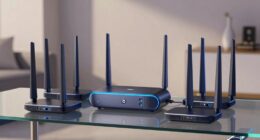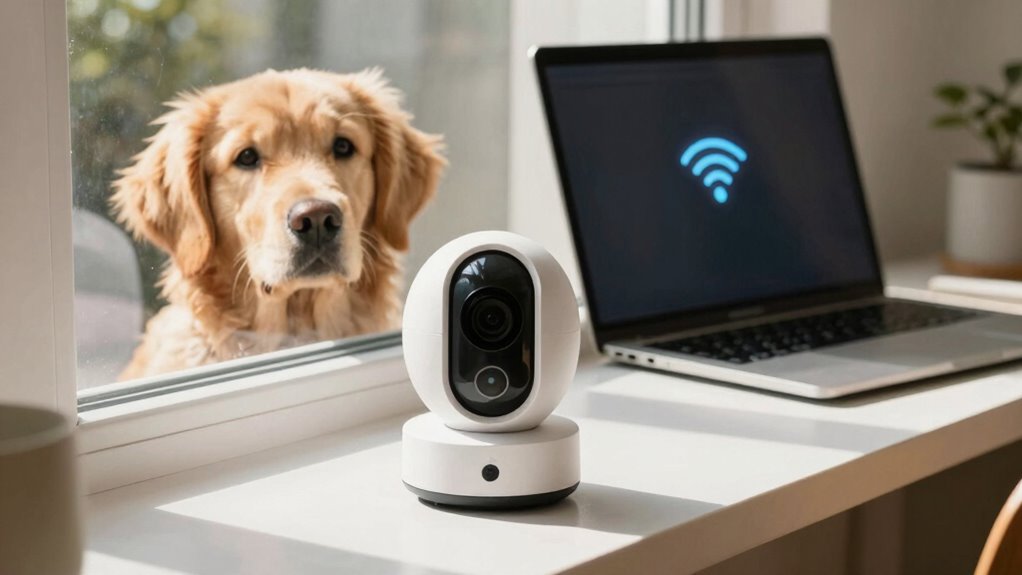

To prevent your pet camera from freezing, start by positioning your router and camera in ideal spots with minimal obstacles and interference. Use the 2.4 GHz band for better coverage and avoid household devices like microwaves or cordless phones nearby. Reboot your router regularly, update firmware, and consider Wi-Fi extenders or a mesh system if needed. Keeping your network robust ensures smooth streaming—exploring these tips further can help you achieve reliable pet monitoring.
Key Takeaways
- Position the camera centrally on high shelves, avoiding obstacles like furniture or thick walls for better Wi-Fi coverage.
- Use the 2.4 GHz band instead of 5 GHz to enhance signal strength and reduce freezing issues.
- Reboot your router regularly and keep firmware updated to maintain optimal network performance.
- Minimize interference by keeping household devices like microwaves and cordless phones away from the camera.
- Consider adding Wi-Fi extenders or upgrading to a mesh network for stronger, more reliable pet camera connectivity.

A strong Wi-Fi signal is essential for your pet camera to work reliably, guaranteeing you can keep an eye on your pet no matter where you are. When your camera freezes or disconnects, it’s often due to weak or inconsistent signals. To fix this, start by examining your camera placement. Position your pet camera in a central location within your home, ideally on a high shelf or wall mount, to reduce obstructions and maximize signal strength. Avoid placing it behind furniture, inside cabinets, or near thick walls, as these can weaken the connection. Clear line-of-sight between your router and the camera is ideal, but if that’s impossible, try to minimize obstacles.
Next, consider the impact of signal interference. Many household devices can interfere with Wi-Fi signals, including cordless phones, microwave ovens, baby monitors, and Bluetooth devices. Keep your pet camera away from these sources to reduce interference. If you have multiple networks in your home, ensure your camera connects to the 2.4 GHz band, which generally offers better range and penetration than the 5 GHz band. Sometimes, your Wi-Fi network can be congested, especially in densely populated areas with many devices. In such cases, switching to a less congested Wi-Fi channel can improve connectivity. Use your router’s settings to scan for the clearest channel and switch accordingly.
Keep your pet camera away from household devices and ensure it connects to the 2.4 GHz band for better Wi-Fi performance.
Another helpful step is to check your Wi-Fi strength using a mobile device or laptop near your camera’s location. If the signal is weak, consider repositioning your router closer to the camera or investing in a Wi-Fi extender or mesh network system. These devices help extend coverage, guaranteeing your pet camera receives a consistent, strong signal. Also, make sure your router firmware is up to date, as outdated firmware can cause connectivity issues. Additionally, Wi-Fi signal quality can be improved by upgrading to a more modern router with better range and stability.
Finally, reboot your router regularly. Sometimes, simple resets can eliminate temporary glitches causing signal drops. If you notice persistent issues despite these fixes, contacting your internet service provider for support or upgrading your equipment might be necessary. By paying attention to camera placement and minimizing signal interference, you’ll considerably reduce freezing issues and enjoy a seamless monitoring experience. Your pet’s safety and your peace of mind depend on a reliable Wi-Fi connection, so taking these steps ensures your pet camera functions smoothly whenever you need it.

TP-Link AC1900 WiFi Range Extender RE550 | Dual-Band Wireless Repeater Amplifier w/Gigabit Ethernet Port | Up to 2200 Sq. Ft., 32 Devices | Internet Signal Booster | APP Setup | EasyMesh Compatible
𝐃𝐮𝐚𝐥-𝐁𝐚𝐧𝐝 𝐖𝐢𝐅𝐢 𝐄𝐱𝐭𝐞𝐧𝐝𝐞𝐫 𝐰𝐢𝐭𝐡 𝟏.𝟗 𝐆𝐛𝐩𝐬 𝐓𝐨𝐭𝐚𝐥 𝐁𝐚𝐧𝐝𝐰𝐢𝐝𝐭𝐡 – Extend your home network with speeds of up to…
As an affiliate, we earn on qualifying purchases.
As an affiliate, we earn on qualifying purchases.
Frequently Asked Questions
Do Pet Cameras Work With 5GHZ Wi-Fi Networks?
Yes, some pet cameras do work with 5GHz Wi-Fi networks, but not all. Check if the camera supports 5GHz frequency to guarantee smooth streaming. For better connectivity, consider models with smart home integration and battery-powered options, which help avoid Wi-Fi issues altogether. Keep in mind that 2.4GHz networks typically provide broader coverage, but 5GHz offers faster speeds for high-quality video feeds.
How Can I Extend Wi-Fi Range for Pet Cameras?
Imagine you’re stepping into the future with better Wi-Fi! To extend your pet camera’s range, start by optimizing your router placement—place it centrally and elevated. Use signal repeaters or range extenders to boost coverage in dead zones. These simple fixes guarantee a stronger, more reliable connection, so you can keep an eye on your furry friend without interruptions. No more freezing feeds—just seamless streaming all day long!
Are There Pet Cameras With Built-In Signal Boosters?
Yes, some pet cameras come with built-in signal boosters, helping you improve Wi-Fi coverage. To maximize their effectiveness, explore signal booster options or consider adding a Wi-Fi extender. Also, focus on camera placement tips—position your camera closer to the router or in a central spot to enhance connectivity. These steps can considerably reduce freezing issues, ensuring your pet stays visible and monitored without interruptions.
What’s the Best Wi-Fi Channel to Reduce Interference?
You should select a less congested Wi-Fi channel, typically 1, 6, or 11 on a 2.4GHz band, to reduce interference. For the best signal, place your router centrally and avoid obstructions, ensuring ideal channel selection. Adjust your router’s channel through its settings, and test different options to see which offers the strongest, most stable connection for your pet camera. Proper router placement and channel choice keep your camera streaming smoothly.
Can Wi-Fi Signal Issues Affect Night Vision Features?
Did you know that Wi-Fi interference can drop signal stability by up to 50%? Yes, Wi-Fi signal issues can affect your pet camera’s night vision, causing blurry images or blackouts. When interference disrupts the signal, the camera struggles to transmit clear visuals, especially in low light. To keep night vision sharp, make certain your Wi-Fi has minimal interference, use a strong channel, and position your router close to the camera.

TP-Link Deco X55 AX3000 WiFi 6 Mesh System – Covers up to 6500 Sq.Ft, Replaces Wireless Router and Extender, 3 Gigabit Ports per Unit, Supports Ethernet Backhaul, Deco X55(3-Pack)
Wi-Fi 6 Mesh Wi-Fi – Next-gen Wi-Fi 6 AX3000 whole home mesh system to eliminate weak Wi-Fi for…
As an affiliate, we earn on qualifying purchases.
As an affiliate, we earn on qualifying purchases.
Conclusion
Now that you know how to fix Wi-Fi issues, you can enjoy seamless pet camera footage without missing a beat. Just remember, a little troubleshooting goes a long way, and it’s often the simple fixes that make the biggest difference. Don’t let a weak signal spoil the fun—stay proactive and keep your pet’s camera connected and clear. After all, it’s better to be safe than sorry when it comes to capturing those adorable moments!

DBIT N300 2.4GHz WiFi Router with WISP Wireless Repeater Mode Internet Router for Smart Home – Guest Network, Internet Access Control, Speed Limit, WPA2, WLAN Schedule, WPS, IPTV, Easy Setup (T1 Pro)
𝐒𝐭𝐚𝐛𝐥𝐞 𝐍𝟑𝟎𝟎 𝐒𝐩𝐞𝐞𝐝 𝐟𝐨𝐫 𝐄𝐯𝐞𝐫𝐲𝐝𝐚𝐲 𝐒𝐭𝐫𝐞𝐚𝐦𝐢𝐧𝐠 & 𝐁𝐫𝐨𝐰𝐬𝐢𝐧𝐠: Enjoy reliable Wi-Fi for all your daily needs. The 300Mbps…
As an affiliate, we earn on qualifying purchases.
As an affiliate, we earn on qualifying purchases.

Kiwibit 2K Security Camera Indoor/Outdoor, Pet Camera, Baby Monitor, Magnetic Mount, AI Detection, Color Night Vision, SD & Cloud Storage, Compatible with Alexa, 10FT Extra-Long Cable
2K Resolution & Color Night Vision: The home security camera delivers 2K crystal-clear video with sharp details and…
As an affiliate, we earn on qualifying purchases.
As an affiliate, we earn on qualifying purchases.