
TL;DR

Get the latest gadgets delivered free with Prime
- Fast, free delivery on millions of items
- Prime Video, Amazon Music and more included
- Member-only deals all year
Moving your rig into a closet can drastically cut noise, but only if you handle heat and sound carefully. Proper placement, ventilation, and targeted treatment make a huge difference—foam alone won’t cut it.
Ever notice how a loud GPU or server can turn your entire room into a noisy echo chamber? The secret to a quiet workspace isn’t just buying foam or soundproof panels. It’s about thinking smarter—using space and placement to cut noise at the source.
If you’re running a high-power AI rig or recording vocals in a closet, you’re often fighting a losing battle with sound absorption. Instead, you can move the rig out of sight and sound—into a closet, basement, or even another room—and keep your workspace silent. But there’s a catch: heat. The same enclosure that muffles noise traps heat, and that can cook your equipment. This guide is about balancing silence with cool, reliable operation, so your rig stays quiet and safe.
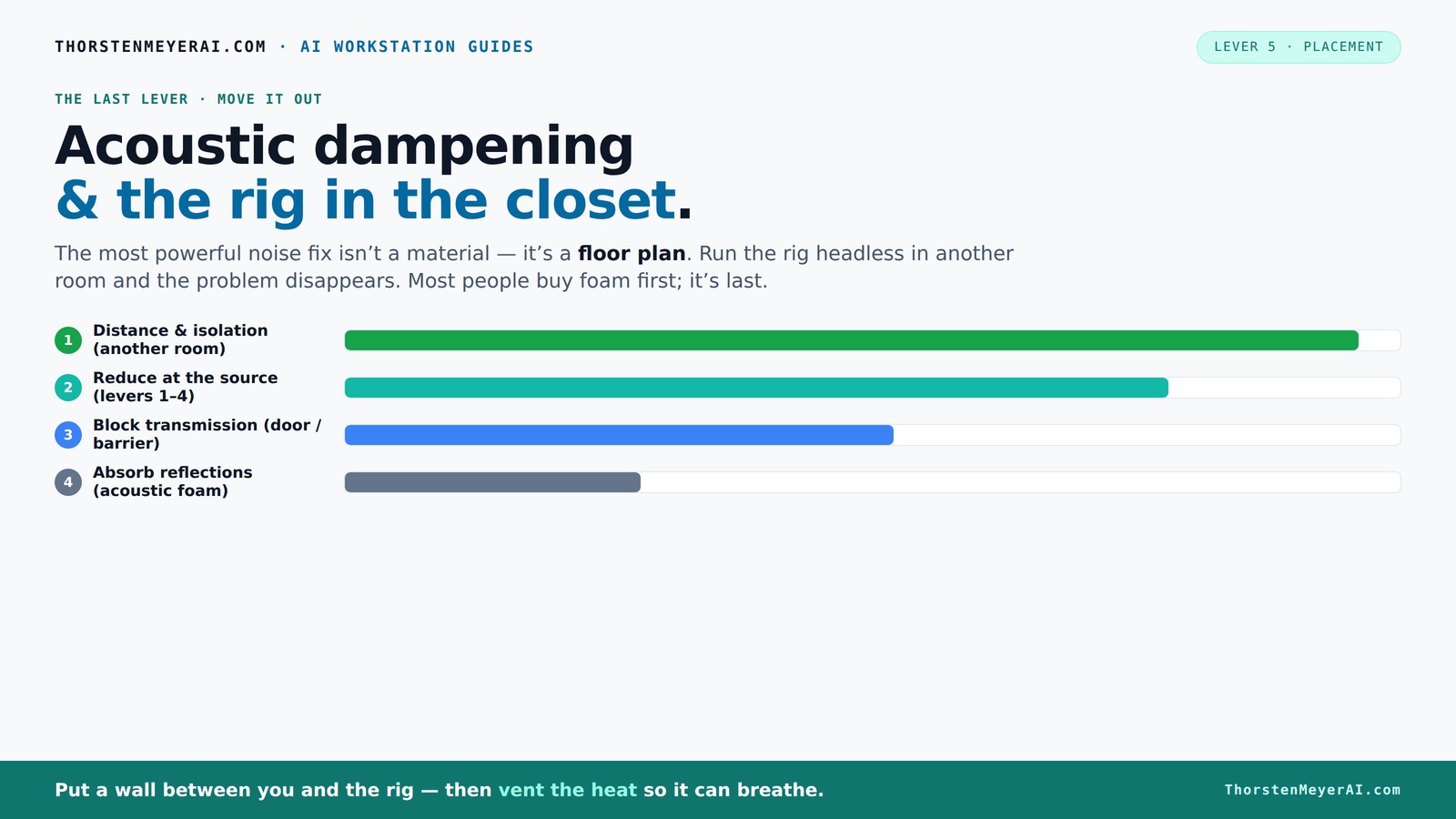
Acoustic dampening
& the rig in the closet.
The most powerful noise fix isn’t a material — it’s a floor plan. A rig you can’t hear because it’s in another room beats any amount of foam. Tap the approaches in Part 1 to see what actually works.
(another room)
(levers 1–4)
(door / barrier)
(acoustic foam)
Contain the noise, not the heat
Key Takeaways
- Moving your rig out of the room reduces noise more than any foam or treatment.
- Proper ventilation is critical when sealing a closet; heat will cook your gear if you don’t vent it properly.
- Place acoustic panels at reflection points, not randomly on the wall, for better sound control.
- Bass traps help in small spaces with low-frequency issues but aren’t mandatory for all closet setups.
- Use simple, non-permanent solutions like blankets and reflection filters if you rent or want flexibility.
Products Worth Considering

Jackery Explorer 2000 v2 Portable Power Station with Two 200W Solar Panels

Logitech MX Mechanical Wireless Illuminated Keyboard, Tactile Quiet, Graphite

Sony WH-1000XM4C Wireless Noise-Cancelling Headphones, Black
As an affiliate, we earn on qualifying purchases.
Why Distance Is Your Best Weapon Against Noise
Distance is the single most effective way to quiet a noisy rig. Imagine your GPU fan whirling at full throttle. If it’s right next to you, that noise is relentless. But if you move the rig into a closet or another room, the sound drops dramatically—sometimes by over 80%. This isn’t just theory; many AI practitioners and streamers swear by remote setups.
Understanding why distance works so well helps you appreciate the tradeoffs involved. The sound waves emitted by high-powered components diminish as they travel away from their source. By physically isolating the rig, you effectively reduce the sound pressure level reaching your ears. This approach minimizes the need for complex soundproofing and allows you to maintain a more affordable, flexible setup. For more on managing noise and heat, see Quiet GPUs for Local AI: Acoustic and Thermal Roundup. However, it’s crucial to recognize that increased distance also means relying on stable network connections and proper ventilation to keep the hardware safe. The tradeoff is a slightly more complicated setup, but the payoff is a significant reduction in noise pollution, which can dramatically improve your environment's comfort and productivity.
How to Properly Place Your Closet Rig for Maximum Silence
Placement inside the closet isn’t just about convenience; it directly impacts sound propagation and vibration transmission. Positioning the rig correctly can significantly reduce noise and vibration transfer, leading to a quieter environment. Keep the rig away from the door, corners, or surfaces that reflect or amplify sound. For tips on optimal setup, see Acoustic Dampening, Placement, and the “Rig in the Closet” Setup. Mounting the rig on vibration-absorbing pads or isolating it from the shelf minimizes the transmission of vibrations that can cause resonant noise or rattles. Additionally, orient the exhaust fans toward open vents or intake vents rather than walls or the door, as this encourages better airflow and reduces noise reverberation within the enclosure. Proper placement ensures that noise and vibrations are minimized at the source, making the overall environment much quieter and less disruptive. This strategic positioning is essential because even small adjustments can lead to noticeable improvements in sound reduction and equipment longevity.
The 'Rig in the Closet' Setup — How to Keep It Cool Without Turning It Into a Sauna
Sealing a closet to contain sound can seem like an easy solution, but it introduces significant heat management challenges. When you enclose high-power components like GPUs and CPUs, they generate heat that needs to be expelled efficiently. Without proper ventilation, heat accumulates rapidly, leading to thermal throttling, crashes, and potential hardware damage. For tips on cooling your setup without noise, see Quiet GPUs for Local AI: Acoustic and Thermal Roundup. The key is balancing effective cooling with low noise operation, which often involves choosing the right fans, sealing gaps carefully, and employing intelligent airflow strategies. Proper ventilation not only prevents overheating but also ensures your rig remains quiet and reliable during extended use.
Frequently Asked Questions
Is it really worth putting my rig in a closet?
Absolutely. Moving your rig into a closet can cut noise dramatically—sometimes by over 80%. Plus, it keeps your workspace quiet while your hardware stays cool if you manage airflow properly. For more detailed advice, see hacknjill.com.
How do I stop sound from leaking through the door?
Use weatherstripping, a soundproof door sweep, and seal gaps around the frame. For additional tips, check out Acoustic Dampening, Placement, and the “Rig in the Closet” Setup.
Do I need expensive soundproofing materials?
Not necessarily. For most closet setups, blankets, foam panels, and proper sealing do the job. High-end solutions like drywall and Green Glue are for more demanding or permanent installations.
How much ventilation do I need?
At least a quiet exhaust fan or ducted vent to prevent heat buildup. The goal is to keep the closet cool while maintaining silence—think of it as a mini data center with soundproofing.
Will foam panels alone make my closet soundproof?
No. Foam absorbs echoes and reduces reflections but won’t block sound transmission. For true soundproofing, sealing gaps and adding barriers are necessary.
Conclusion
Silencing a noisy rig isn’t about stacking foam panels or sealing every gap. It’s about smart placement—moving the machine away—and managing heat with airflow. When you combine these strategies, you get a workspace that’s both quiet and safe for your hardware.
Think of your closet as a secret weapon: a simple, effective way to keep noise and heat in check. The real trick is knowing when to focus on sound absorption, and when to just move the problem out of sight. Your workspace—and your sanity—will thank you.